
Plumbing Software Hidden Fees: How to Avoid Them
Learn where plumbing software hidden fees appear, how to compare full-year costs, and which vendor questions protect your budget before you sign.
May 26, 2026
Article

Plumbing software can genuinely transform how you run dispatch, invoicing, and job tracking. But the sticker price on a vendor's pricing page rarely tells the full story. Onboarding charges, per-seat fees, add-on modules, payment processing, and auto-renewal clauses can quietly push your monthly spend well beyond the number you budgeted. This guide explains where hidden plumbing software fees usually appear, which questions to ask vendors, and how to protect your bottom line before you sign anything.
Table of Contents
- Key takeaways
- What you need to know about plumbing software hidden fees
- How to identify hidden fees in software proposals
- Pricing models and where hidden fees typically occur
- Common mistakes that lead to overpaying
- Verifying software value before you sign
- Practical evaluation notes for plumbing software fees
- Find plumbing software with transparent pricing
- FAQ
Key takeaways
| Point | Details |
|---|---|
| Base price is rarely the full cost | Monthly subscription fees often exclude onboarding, add-ons, and per-user charges that compound quickly. |
| Add-on stacking doubles costs | Separate flat-rate pricing tools paired with FSM platforms can cost over $2,000 more per year than all-in-one solutions. |
| Free trials reveal hidden limits | Testing software before committing exposes feature restrictions and user limits that pricing pages don't disclose. |
| Full rollout drives real ROI | The biggest software risk is partial adoption, not overpaying. Unused licenses waste money just as surely as hidden fees do. |
| Verify contract terms in writing | Price locks, cancellation policies, and renewal clauses must be confirmed before you commit to any platform. |
What you need to know about plumbing software hidden fees
Before you evaluate a single pricing page, you need a clear picture of what "cost" actually means in the context of plumbing software. Most vendors advertise a base monthly rate, but that number covers only the core platform. The real number you need is the total cost of ownership (TCO), which includes every fee you will pay over the contract term.
Here are the most common hidden fee categories to watch for:
- Onboarding and setup fees: Many platforms charge $200 to $1,500 upfront to configure your account, import job history, or train your team.
- Per-user or per-technician fees: Basic plumbing software tools range from $20 to $50 per user per month, while full platforms run $250 to $500 per user. As your crew grows, costs scale fast.
- Add-on module fees: Scheduling, GPS tracking, flat-rate pricing books, and payment processing are often sold separately.
- API access fees: Connecting your software to QuickBooks or other tools sometimes triggers additional monthly charges.
- Cancellation fees: Early termination clauses can cost hundreds of dollars if you exit before the contract ends.
- Auto-renewal price increases: Some contracts lock you in at a low rate for year one, then auto-renew at a higher rate.
The difference between a base subscription model and an all-in-one platform is critical. All-in-one platforms bundle dispatch, invoicing, job costing, and flat-rate pricing into one price. Add-on stacking models charge separately for each layer, and those costs compound fast.
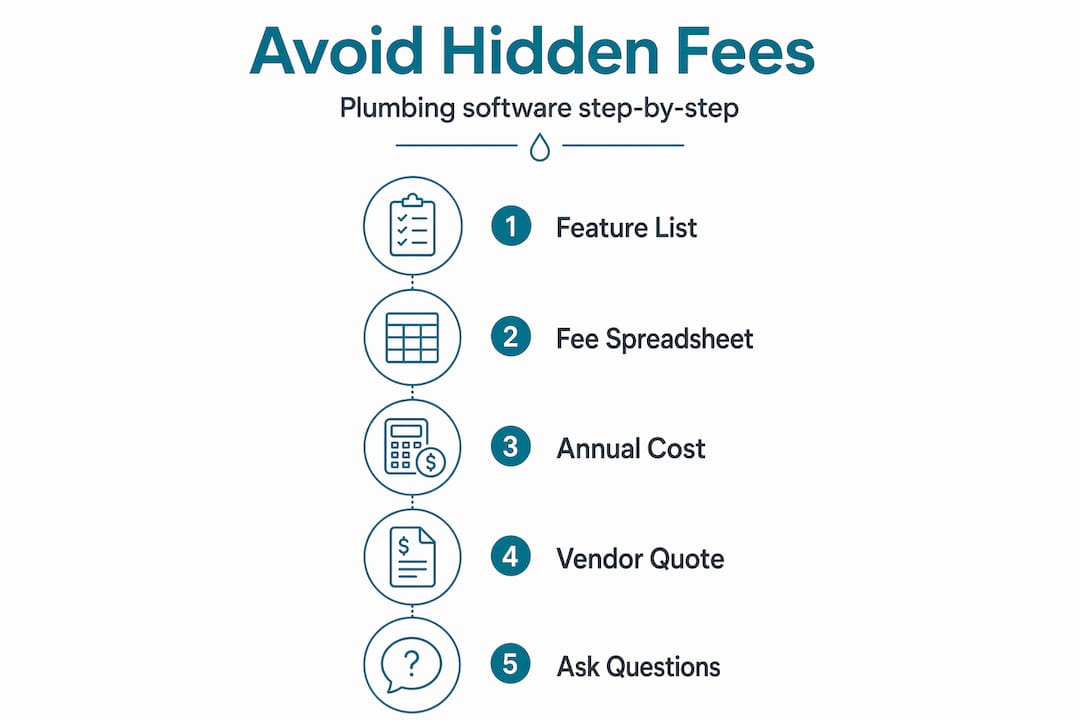
Pro Tip: Before you compare any two platforms, build a simple spreadsheet listing every fee category above. Fill in each vendor's answers side by side. If a vendor can't or won't answer a specific line item, that is a red flag worth noting.
How to identify hidden fees in software proposals
You can't rely on a vendor's sales rep to volunteer every fee. You need a systematic process to pull that information out before you commit.
- Request an itemized quote. Ask for a written breakdown of every charge, not just the monthly subscription. If the vendor sends a one-line quote, push back and ask them to itemize it.
- Confirm per-user pricing and scaling. Ask exactly how pricing changes when you add a technician. Some platforms charge per active user, others per license, and others by tier. Know which model applies to you.
- Ask about onboarding and training costs. Request a written confirmation of whether onboarding is included or billed separately. Get the exact dollar amount.
- Check add-on requirements. Review the feature list and confirm whether each feature you need is included in the base plan or sold as an add-on. Flat-rate pricing books, customer portals, and payment processing are common extras.
- Request the full contract before committing. Read the renewal terms, price escalation clauses, and cancellation policy. Demand clarity on contract pricing structures, including whether rates are locked or increase after the initial term.
- Use a free trial to test feature access. Free trial availability lets you verify whether the features you need are actually accessible at your plan tier, not just listed on the marketing page.
- Ask specifically about payment processing fees. Many platforms charge 2.5% to 3.5% per transaction for credit card payments. On high-ticket plumbing jobs, that adds up to a significant annual cost.
Here is a quick comparison of what to document when evaluating two or more platforms:
| Fee category | Platform A | Platform B |
|---|---|---|
| Base monthly rate (per user) | $49 | $199 |
| Onboarding fee | $500 | Included |
| Flat-rate pricing book | Add-on: $79/mo | Included |
| Payment processing | 2.9% per transaction | 2.5% per transaction |
| Cancellation fee | 3-month penalty | None |
| Annual total (5 users) | ~$5,448 | ~$11,940 |
Pro Tip: When you run this comparison, always calculate the annual total, not just the monthly rate. A platform that looks cheaper per month can easily cost more per year once all fees are factored in.
Pricing models and where hidden fees typically occur
Understanding the pricing structure of a platform tells you where to look for hidden costs before they appear on your invoice.
Basic plumbing software tools at the $20 to $50 per user range typically cover scheduling and basic invoicing. They rarely include flat-rate pricing, GPS dispatch, or customer communication tools. To get those features, you add separate tools, and that is where the add-on trap becomes expensive. Price-book software for flat-rate pricing requires a separate field service management platform, effectively doubling your subscription costs.
The numbers make this concrete. Stacking add-on tools with separate FSM platforms can cost over $415 per month for a 1 to 5 technician business, compared to $247 per month for an all-in-one solution. That gap exceeds $2,000 annually, and it grows as your team scales.

At the other end of the spectrum, enterprise-heavy platforms offer powerful features but often feel bloated and costly for mid-sized plumbing businesses, creating a poor cost-to-complexity ratio and delayed ROI. You end up paying for capabilities you will never use.
The most cost-transparent options tend to be mid-tier all-in-one platforms that include native flat-rate pricing, dispatch, invoicing, and customer communication in a single subscription. When evaluating these, check the ServiceTitan pricing details and Housecall Pro pricing structures to understand where each platform draws the line between included and add-on features.
Key trade-offs to weigh when choosing your pricing model:
- All-in-one platforms: Higher base price, but predictable monthly cost and fewer surprises
- Tiered add-on models: Lower entry price, but costs escalate quickly as you activate features
- Per-user pricing: Works well for small crews, but scales poorly for growing teams
- Flat monthly pricing: Easier to budget, but may include features you don't need
The total all-in cost of software stacks is what matters. Monthly base prices are misleading without a full stack cost calculation that accounts for every tool in your workflow.
Common mistakes that lead to overpaying
Most plumbing businesses don't get hit by hidden fees because vendors are deceptive. They get hit because the evaluation process was rushed or incomplete. Here are the mistakes that show up most often:
- Comparing base prices only. The most common error. A $49/month platform with five add-ons can cost more than a $199/month all-in-one before the first invoice arrives.
- Skipping the contract fine print. Auto-renewal clauses and price escalation terms are buried in contracts. If you don't read them, you will be surprised at renewal time.
- Sharing login credentials. Users often share login credentials to avoid per-seat fees, but this creates security risks and can trigger penalties under the vendor's terms of service.
- Buying add-ons without confirming integration. An add-on that doesn't integrate cleanly with your core platform creates double data entry and wasted time, which has a real cost even if it's not on an invoice.
- Partial software rollout. The biggest software risk is not overpaying. It's failing to fully roll out the platform to your whole team. When technicians skip the app and dispatchers use spreadsheets, you pay full price for partial value.
- Avoiding vendor questions. Many business owners feel uncomfortable pushing back on a sales rep. That discomfort costs money. If a vendor can't clearly answer what's included and what isn't, that tells you something important.
Pro Tip: Before signing, ask your vendor directly: "What will my total monthly cost be if I need [list your required features]?" Get that answer in writing. A vendor who hesitates to put it in writing is signaling that the number will change.
Verifying software value before you sign
Once you have narrowed your options, these steps will confirm you are getting what you are paying for.
- Run a structured free trial. Don't just log in and click around. Assign your dispatcher and one technician to use the platform for real jobs during the trial period. Test dispatch, invoicing, job notes, and payment collection.
- Collect team feedback during the trial. Ask your technicians specifically: "Did you hit any walls where you needed a feature that wasn't available?" Their answers will surface plan limitations that the pricing page didn't mention.
- Calculate your estimated annual spend. Take every fee you identified in your itemized quote and multiply by 12. Add onboarding costs. Add payment processing estimates based on your average monthly revenue. That is your real first-year cost.
- Confirm price lock terms in writing. Ask the vendor to confirm in writing whether your rate is locked for the contract term or subject to increases. This one question prevents a common renewal surprise.
- Plan your rollout before day one. Identify who will lead implementation, when training will happen, and what the go-live date is. Effective rollout and adoption are the primary drivers of software ROI. A platform that your team actually uses pays for itself. One that sits half-deployed does not.
- Negotiate exit terms. Before signing, ask whether the contract includes an exit clause if the platform fails to meet specific performance benchmarks. Some vendors will agree to this, and it significantly reduces your risk.
Modern plumbing software, when fully adopted, can increase customer retention by over 15% through better follow-up and faster response times. That kind of ROI only materializes when the platform is running at full capacity across your team.
Practical evaluation notes for plumbing software fees
Most plumbing software overpayment starts before the contract is signed. Buyers often compare feature lists first and pricing structure second, even though the pricing structure determines whether the tool stays affordable as the crew grows.
The fee structures in plumbing software are genuinely complex. Pricing pages usually highlight the low entry number and make add-ons, per-seat scaling, implementation costs, and renewal behavior harder to compare. Your job as a buyer is to force transparency before you are emotionally invested in a platform.
The businesses that end up overpaying usually do so for two preventable reasons: they did not ask enough pricing questions upfront, and they did not roll the platform out fully enough to justify the spend. A partially adopted platform can be just as expensive as a platform with hidden fees.
The best outcomes come from a disciplined buying process: push vendors for itemized quotes, run real trials with real jobs, get price locks in writing, and assign clear ownership for implementation before the first invoice arrives.
That upfront work pays back every month for the life of the contract.
Find plumbing software with transparent pricing
If you want to skip the manual vendor research and get a shortlist of plumbing software options ranked by pricing transparency, fit for your crew size, and rollout risk, Ample Express is built for exactly that.

Ample Express provides an independent comparison of over 30 field service software options ranked specifically for plumbing businesses. Start with the plumbing software hub, review the Housecall Pro vs ServiceTitan comparison, and check the ServiceTitan vendor profile before you commit to a sales process. If you want a faster answer, use the plumbing shortlist workflow to narrow options by crew size, budget, and rollout risk.
FAQ
What are the most common hidden fees in plumbing software?
The most common hidden fees include onboarding and setup charges, per-user seat fees, add-on module costs for features like flat-rate pricing or GPS dispatch, payment processing percentages, and early cancellation penalties. Always request an itemized quote before committing.
How do I avoid overpaying for plumbing software features I don't need?
Map out the specific features your crew uses daily before evaluating any platform. Compare only platforms that include those features in the base plan, and use a free trial to confirm access before signing a contract.
Is an all-in-one plumbing platform cheaper than stacking add-on tools?
In most cases, yes. Stacking separate FSM and flat-rate pricing tools can cost over $2,000 more per year than a single all-in-one platform for a small crew, once all subscription fees are totaled.
What should I ask a vendor to verify plumbing software cost transparency?
Ask for a written itemized quote covering every fee, confirm whether your rate is locked for the contract term, and request the full contract including renewal and cancellation terms before making any decision.
Why does partial software rollout increase my effective cost?
When only part of your team uses the platform, you pay full price but capture only a fraction of the efficiency gains. Unused licenses and missed automation mean the software costs more per unit of value delivered than it should.
Recommended
- Servicetitan pricing guide for plumbing companies | Ample Express
- Housecall Pro Pricing for Plumbing Companies (2026) | Ample Express
- austin Plumbing software guide | Ample Express
- chicago Plumbing software guide | Ample Express