
What Is Cloud-Based Contractor Software? 2026 Guide
Discover what cloud-based contractor software is and how it streamlines projects for contractors in 2026. Get insights to make informed choices!
June 2, 2026
Article
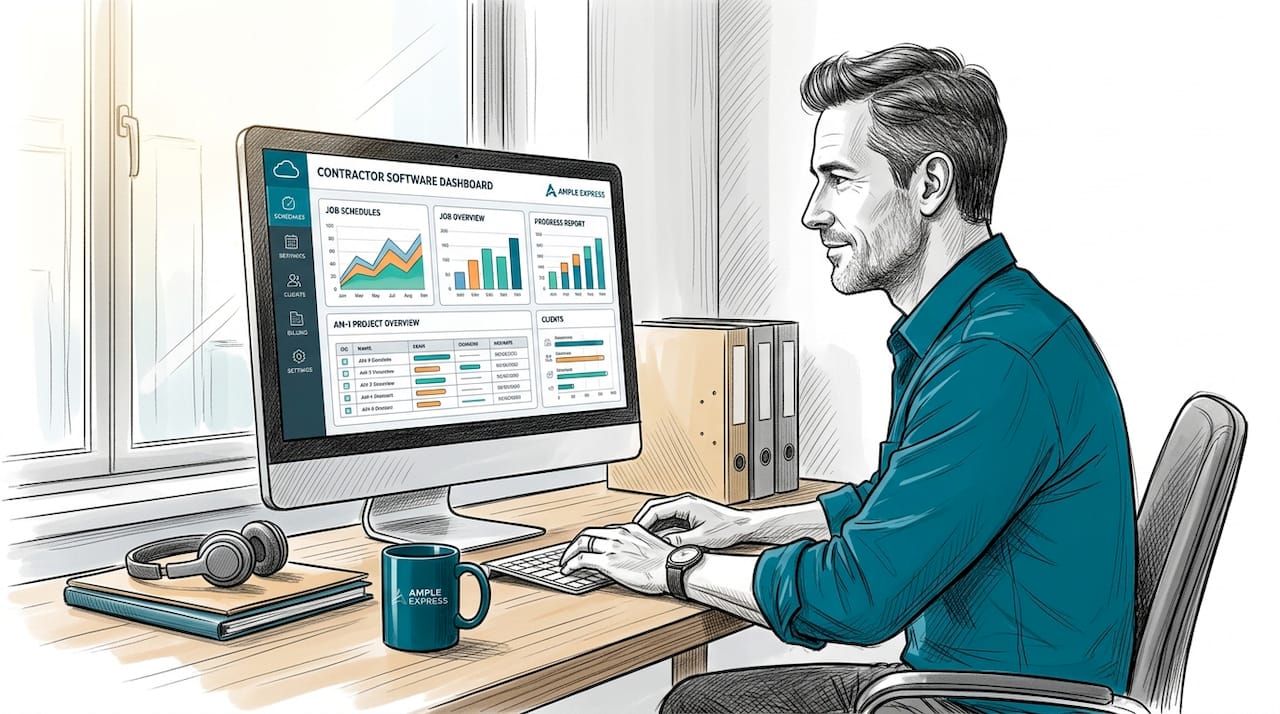
Cloud-based contractor software is defined as a Software as a Service (SaaS) platform hosted on remote servers and accessed via the internet, designed to unify contractor workflows including scheduling, estimating, invoicing, and field coordination in a single online system. The industry term for this delivery model is SaaS, and understanding that distinction matters when you are comparing platforms. Tools like Autodesk Construction Cloud, Procore, and Contractors Cloud all operate on this model, giving field teams and office staff shared access to live project data from any device. If you are an HVAC, plumbing, electrical, or pest control contractor evaluating software in 2026, this guide covers exactly how these platforms work, what they do, and what to watch for before you commit.
How does cloud-based contractor software work?
Cloud-based contractor software runs on the SaaS delivery model, which means the software and all supporting infrastructure are hosted and maintained by the vendor, not by you. You access it through a web browser or a lightweight mobile app on any internet-connected device. There is no server to buy, no installation disk, and no internal IT team required to keep it running.

This is the sharpest contrast with traditional on-premise software, where your business owns the servers, manages the updates, and absorbs the cost of any security patches. With cloud-hosted platforms, those responsibilities shift entirely to the vendor. When the software updates, it happens automatically in the background. Your crew logs in the next morning and the new version is already there.
Here is what that model means in practice for a field service contractor:
- Access from anywhere: A technician in the field and a dispatcher in the office see the same job board in real time.
- No version conflicts: Every user is always on the current version. No one is running outdated software on a shop computer.
- Vendor-managed security: Data backups, encryption, and compliance updates are the vendor's responsibility.
- Faster onboarding: New hires can log in from their phone on day one without IT setup.
Pro Tip: Ask any vendor whether their platform is true SaaS or a hosted subscription. True SaaS means the vendor manages all infrastructure and pushes updates automatically. A hosted subscription may still require you to manage some server-side configurations, which adds internal overhead.
What are the key features of cloud contractor tools?
Contractors Cloud positions its platform as a specialty trade CRM that integrates lead tracking, estimating, scheduling, materials management, and invoicing into one connected system. That integration is the defining feature of purpose-built cloud contractor tools. You are not stitching together five separate apps. You are working inside one system where data flows from the estimate to the work order to the invoice without manual re-entry.
The core feature categories you should expect from any credible platform include:
- Lead and estimate management: Capture inbound requests, build estimates, and convert approved quotes to jobs without switching tools.
- Job scheduling and crew dispatch: Assign technicians to jobs based on availability, skill set, and location. Drag-and-drop scheduling boards are standard.
- Materials tracking and procurement: Log parts used per job, track inventory levels, and generate purchase orders directly from the platform.
- Invoicing and payment collection: Generate invoices on job completion and accept payment in the field via card or ACH.
- Compliance and credential management: Collect insurance certificates, licenses, and onboarding documents from subcontractors and store them in the platform.
- Real-time data sync: Field updates to job status, parts used, and time logged appear instantly in the office view.
Beyond the feature list, the order in which these workflows connect matters. A well-built platform follows this sequence:
- Lead captured and estimate created
- Estimate approved and converted to a scheduled job
- Technician dispatched with full job details on mobile
- Parts and labor logged in the field
- Invoice generated and sent on job completion
- Payment collected and recorded against the job
Pro Tip: When evaluating platforms, run a test job from lead to invoice before signing a contract. If any step requires you to leave the platform or manually copy data, that gap will cost you time on every job.
What advantages does cloud deployment bring vs. desktop software?
Autodesk's cloud construction tools improve operational efficiency by connecting office and field teams through shared, live project data. That connectivity is not available with desktop software, where data lives on a single machine and updates require manual syncing or file transfers.
The table below compares cloud-based and on-premise contractor software across the dimensions that matter most to field service operations.
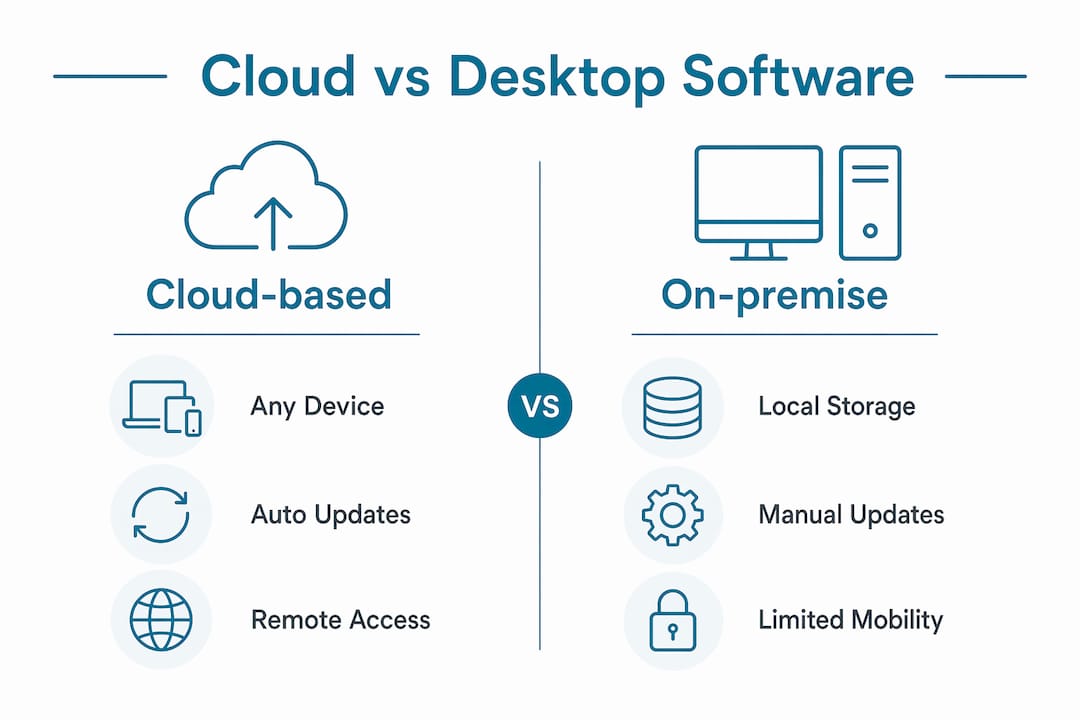
| Factor | Cloud-based software | On-premise software |
|---|---|---|
| Access | Any device, any location with internet | Limited to installed machines |
| Updates | Automatic, vendor-managed | Manual, IT-dependent |
| Data backup | Vendor-managed, continuous | Internal responsibility |
| Upfront cost | Low. Subscription-based pricing | High. License and server costs |
| Scalability | Add users or features as you grow | Requires hardware upgrades |
| Field-office sync | Real-time | Delayed or manual |
Procore's financial workflow tools demonstrate another concrete advantage: consolidating project finances, change orders, and subcontractor billing into one real-time view. For a general contractor managing multiple active jobs, that visibility replaces hours of spreadsheet reconciliation each week. The cloud model makes that possible because every update from the field posts immediately to the same data set the office is viewing.
Vitruvi identifies mobility, automatic updates, and cloud backups as the three structural advantages that separate cloud platforms from desktop installs. Each one reduces a specific category of operational risk: mobility reduces communication delays, automatic updates reduce security exposure, and cloud backups reduce data loss risk.
How do cloud tools support blended workforce management?
Salesforce defines contractor management software as a platform that centralizes onboarding, credential collection, scheduling, job execution, and payment workflows for external contractors. That definition captures something most contractors underestimate: managing a blended workforce of employees and subcontractors requires a system that handles both groups inside the same operational flow.
When you rely on spreadsheets and email to coordinate subcontractors, you create gaps. A credential expires and no one catches it. A subcontractor gets dispatched to a job without confirmed insurance on file. An invoice arrives that does not match the work order. Cloud contractor tools close those gaps by connecting compliance data directly to scheduling and payment.
Here is what that looks like operationally:
- Centralized onboarding: Subcontractors complete digital onboarding forms and upload credentials before they are eligible for dispatch.
- Credential verification: The platform flags expired licenses or lapsed insurance before a job is assigned.
- Unified scheduling: Internal staff and external contractors appear on the same dispatch board, giving you a single view of capacity.
- Payment linked to job completion: Invoices and subcontractor payments are triggered by job status updates, not by manual follow-up.
- Audit trail: Every credential, job note, and payment record is stored and searchable, which matters when a client or insurer asks for documentation.
For HVAC, plumbing, and electrical contractors who regularly bring in subcontractors during peak season, this kind of operational integration is not optional. It is the difference between a scalable business and one that breaks down every summer when call volume spikes.
What to consider before choosing cloud contractor software
Confirm that the platform you are evaluating is true SaaS, not a hosted subscription with manual update cycles. The distinction affects how quickly you get new features and how much internal IT involvement you need during rollout. Review the vendor's update history. Frequent, automatic releases are a sign of a healthy SaaS product.
Verify real-time data synchronization between field and office. Some platforms advertise cloud access but sync data on a delay, which defeats the purpose for dispatch-heavy operations. Ask the vendor specifically: how long does it take for a field status update to appear in the office scheduling view? The answer should be seconds, not minutes.
Match the feature set to your actual workflows. A pest control operator running recurring service routes needs different tools than an electrical contractor managing large commercial projects. Use the vendor's software selection checklist to map features against your specific crew size and job types before committing.
Plan for integration with tools you already use. QuickBooks, Google Calendar, and payment processors like Stripe are common integration points. If the platform does not connect to your accounting software, you will re-enter financial data manually, which eliminates much of the efficiency gain.
Pro Tip: Treat software rollout as an operational project, not an IT project. Assign a crew lead or office manager as the internal champion, set a go-live date, and run parallel systems for two weeks before cutting over completely.
Key takeaways
Cloud-based contractor software works best when it connects field execution, compliance, scheduling, and billing in one real-time system rather than replacing just one part of your workflow.
| Point | Details |
|---|---|
| SaaS model shifts IT burden | Vendors manage updates, security, and backups, reducing your internal overhead. |
| End-to-end workflow integration | Platforms like Contractors Cloud and Procore connect estimates, dispatch, and invoicing in one system. |
| Real-time sync is non-negotiable | Delayed field-to-office data sync negates the core advantage of cloud deployment. |
| Blended workforce support | Centralized credential verification and dispatch prevent compliance gaps with subcontractors. |
| Evaluate before you commit | Run a test job from lead to invoice to confirm the platform fits your actual workflow. |
Why most contractors underestimate what this software actually does
I have reviewed dozens of software deployments across HVAC, plumbing, and electrical operations, and the pattern is consistent: contractors who get the most out of cloud platforms are the ones who treat the software as an operational system, not a scheduling app with invoicing bolted on.
The mistake I see most often is deploying the platform only for one function, usually scheduling or invoicing, while leaving credential management, materials tracking, and subcontractor coordination in spreadsheets. That approach captures maybe 30% of the available value. The real gain comes when the system connects every step from the first customer call to the final payment.
Salesforce's deployment research confirms this directly: deployments fail when contractor software is treated as an HR tool rather than a connected operational system. The contractors who succeed are the ones who map their full workflow before selecting a platform, then configure the software to match that workflow rather than adapting their operations to fit the software's defaults.
Mobile access is the other underutilized feature. Field teams that log job updates, parts used, and completion photos in real time give office staff the data they need to invoice the same day. That alone can cut your average days-to-invoice by a significant margin, which improves cash flow without adding headcount.
The trend in 2026 is toward tighter vendor-managed infrastructure and deeper integrations with accounting and payroll platforms. If you are evaluating software now, prioritize vendors who release updates frequently and have documented integration paths with tools like QuickBooks Online or ADP.
— Blake
Find the right cloud software for your trade
Ample Express helps HVAC, plumbing, electrical, and pest control contractors identify the right field service software without wasting time on demos that do not fit. The platform ranks over 30 options by crew size, trade type, and operational complexity, giving you a shortlist that reflects your actual needs rather than a generic top-ten list.

If you are comparing platforms for your trade, the field service software by trade page gives you a ranked view of tools built specifically for HVAC, plumbing, electrical, and pest control operations. You can also explore HVAC-specific platforms, plumbing software options, or pest control field service software with pricing benchmarks and rollout risk ratings included. Share your crew size and top priorities, and Ample Express will match you to the platforms most likely to fit your operation.
For a faster vendor shortlist, use the software comparison intake and include your crew size, service area, and current dispatch or invoicing bottleneck.
FAQ
What is cloud-based contractor software?
Cloud-based contractor software is a SaaS platform hosted on remote servers and accessed via the internet, designed to manage contractor workflows including scheduling, estimating, invoicing, and compliance in one system. It requires no on-site servers and is maintained entirely by the vendor.
How is cloud software different from desktop contractor software?
Cloud software syncs data in real time across all devices and locations, while desktop software stores data locally and requires manual updates. Cloud platforms also shift maintenance, security, and backup responsibilities to the vendor.
What features should I look for in contractor management software?
Prioritize platforms that cover lead management, job scheduling, crew dispatch, materials tracking, invoicing, and subcontractor credential management in a single connected system. Verify that field updates sync to the office view in real time before committing.
Can cloud contractor software handle subcontractors and employees together?
Yes. Platforms like those described by Salesforce centralize onboarding, credential verification, scheduling, and payment for both internal staff and external contractors on one dispatch board, reducing coordination gaps.
How do I know if a platform is true SaaS or just a hosted subscription?
Ask the vendor whether updates are pushed automatically to all users without any action on your part. True SaaS delivers continuous, automatic updates. A hosted subscription may still require manual version management or IT involvement during upgrades.
Recommended
- Contractor Software Selection Checklist for 2026 | Ample Express
- Best Electrical software for electrical companies with service contracts
- Electrical Field Service Software (2026) - Dispatch, Estimates & Invoicing
- Best hvac software alternatives to ServiceTitan | Ample Express