
Automated Billing Plumbing Software: 2026 Guide
Discover the role of automated billing plumbing software in boosting cash flow. Learn how it simplifies invoicing and payment collection for your business.
June 23, 2026
Article

Automated billing plumbing software is defined as a field service billing system that generates invoices, sends payment reminders, and collects payments automatically, triggered by job completion events in your workflow. The industry term for this category is accounts receivable (AR) automation, and it sits at the center of how modern plumbing businesses control cash flow. Platforms like Housecall Pro, RevoField, and Billtrust have made this technology accessible to crews of every size. The role of automated billing plumbing software goes well beyond cutting paperwork. It closes the gap between finishing a job and getting paid, which is where most plumbing businesses quietly lose money.
How does automated billing software integrate with plumbing field workflows?
Automated billing software connects directly to your job completion event. When a technician closes a job in the field, the system triggers invoice creation, applies any deposits, and sends a payment request to the customer without any manual input from your office.
RevoField's workflow demonstrates this clearly. Invoice creation with deposit auto-application happens the moment a technician marks a job complete and the customer approves the scope. The customer receives a payment link by SMS or email before the truck leaves the driveway.

Housecall Pro takes a similar approach. It links scheduling, work orders, and invoicing into a single connected workflow, so every invoice reflects the exact job history, parts used, and labor time. That accuracy removes the most common source of billing disputes.
Once a payment is collected on-site, the software syncs the transaction automatically with accounting platforms like QuickBooks or Xero. Your books update in real time. You do not need a separate data entry step, and your office team does not spend time reconciling payments at the end of the day.
- Technician completes the job and marks it closed in the mobile app.
- The system generates the invoice using job data, parts, and labor.
- A payment request goes to the customer via SMS or email.
- The customer pays by card, ACH, or digital wallet on-site or remotely.
- The payment syncs automatically to QuickBooks or Xero.
Pro Tip: Set your software to trigger the payment SMS within 60 seconds of job close. Customers are most likely to pay immediately while the technician is still on-site and the work is fresh in their mind.
What are the key features that accelerate cash flow?
The features that move the needle on cash flow are not the ones that look impressive in a demo. They are the ones that reduce the time between job completion and payment receipt.
- Automated invoice reminders: Multi-touch dunning sequences send reminders at preset intervals without any manual effort from your team. Touchless payments reached 92% in 2025, and that rate correlates directly with businesses that run automated reminder sequences.
- Payment flexibility: Customers pay by credit card, debit card, ACH bank transfer, digital wallets, or financing options. Removing friction from the payment method removes the most common reason customers delay.
- Accounting sync: Payments apply to the correct invoice automatically. AI-driven confidence-based matching reduces reconciliation work and eliminates the manual cash application step that slows down AR teams.
- Real-time reporting: You see outstanding invoices, overdue balances, and Days Sales Outstanding (DSO) on a live dashboard. That visibility lets you act on problems before they become bad debt.
"Automation maturity correlates strongly with shorter cash cycles and near frictionless payment experiences." — Billtrust 2026 AR Benchmark Report
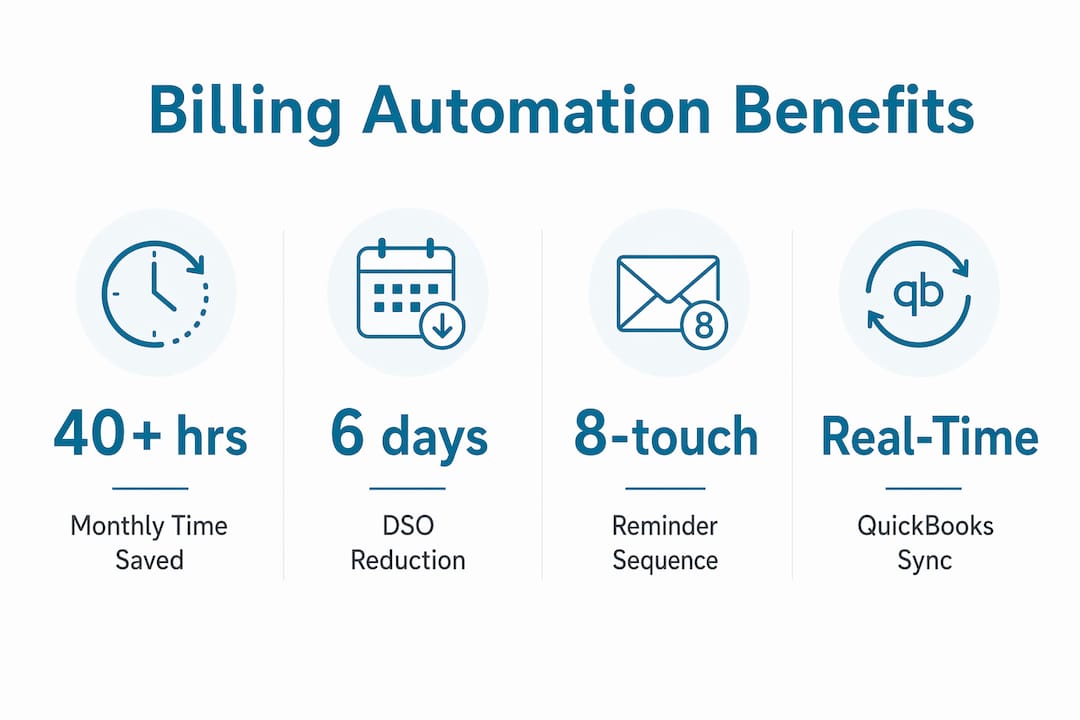
The Billtrust 2026 AR Benchmark Report shows DSO dropped from 45 days in 2024 to 39 days in 2025 for businesses with high automation maturity. That six-day improvement represents real cash sitting in your account instead of aging on a spreadsheet.
How do automated dunning and reminder sequences work?
Dunning is the process of sending systematic reminders to customers with outstanding invoices. Automated dunning replaces the manual phone calls and one-off emails your office staff currently sends, and it does so with a structured escalation ladder.
ClearReceivables documents an 8-touch sequence escalating from email and SMS to formal notices over 60 days. The logic behind that structure is that early reminders are friendly and low-friction, while later reminders carry more urgency and shift channels.
A practical timing ladder for a plumbing business looks like this:
| Trigger | Channel | Tone |
|---|---|---|
| 3 days before due date | Friendly reminder | |
| 1 day before due date | SMS | Gentle nudge |
| 1 day after due date | Email + SMS | Polite follow-up |
| 7 days overdue | Firm reminder | |
| 14 days overdue | Phone call prompt | Escalation alert |
| 30 days overdue | Formal notice | Collections warning |
The key distinction is segmentation. Segmenting reminders by invoice status and customer risk tier prevents you from sending a collections-tone message to a long-term customer who simply forgot. A residential customer with a clean payment history gets a softer sequence. A commercial account with two prior late payments gets a faster escalation.
Effective dunning separates early friction from hard delinquency with a disciplined escalation ladder. That separation protects customer relationships while still recovering overdue revenue.
Pro Tip: Treat your dunning cadence as a rules engine, not a fixed schedule. Build conditions based on invoice age, customer tier, and payment history so the system responds to behavior rather than just the calendar.
What practical benefits do plumbing businesses gain from billing automation?
The measurable benefits fall into three categories: time savings, cash flow improvement, and error reduction.
On time savings, on-site payment collection automation eliminates 40+ hours monthly spent chasing payments. That is a full work week returned to your team every month. Those hours shift from reactive collections to productive scheduling, dispatch, and customer service.
On cash flow, the numbers are direct. Fieldproxy's blueprint reports 94% same-day payment rates for businesses using on-site payment automation. Paired with the DSO improvement from 45 to 39 days documented by Billtrust, the cash impact is significant for any business running 20 or more jobs per week.
On error reduction, Housecall Pro automates invoice reminders and syncs payments with QuickBooks, which removes the manual re-entry step where most billing errors occur. When your invoice pulls directly from job data, the line items match what the technician actually did. Disputes drop because the record is accurate from the start.
- Fewer outstanding invoices: Automated reminders catch overdue accounts before they age past 30 days.
- Faster revenue recognition: Invoices go out the same day as job completion, not days later.
- Lower admin overhead: Office staff handle exceptions, not routine follow-ups.
- Cleaner financial reporting: Accounting sync means your P&L reflects actual cash position in real time.
You can use the plumbing software ROI calculator from Ampleexpress to put specific numbers on what these gains mean for your business size and job volume.
How to choose and implement automated billing solutions for plumbing businesses
Selecting the right tool requires matching software capabilities to your specific crew size, job volume, and existing tech stack. Generic billing software built for retail or professional services will not handle field dispatch, job history, or on-site payment capture the way plumbing-specific platforms do.
Evaluate candidates against these criteria:
- Accounting integration: Confirm native sync with QuickBooks or Xero, not just CSV export. Native sync means real-time updates, not batch uploads.
- Mobile payment capture: Technicians need to collect payment on-site via card reader, SMS pay link, or digital wallet. If the mobile experience is clunky, adoption drops.
- Automated reminder rules: Verify the platform supports multi-touch, multi-channel sequences with segmentation by customer type and invoice status.
- Scheduling and dispatch connection: Software bundling that connects scheduling, dispatch, and billing in one system reduces data gaps and manual handoffs.
- Pricing transparency: Confirm per-user fees, transaction fees, and any setup costs before committing. Hidden transaction fees on card payments can erode the cash flow gains you are targeting.
- Vendor support and rollout resources: A phased implementation with training support reduces disruption. Prioritize vendors who offer onboarding assistance, not just documentation.
A phased rollout works best. Start with invoice generation and accounting sync in the first month. Add automated reminders in month two once your team is comfortable with the core workflow. Introduce dunning segmentation and escalation rules in month three after you have baseline data on your customer payment behavior.
Key takeaways
Automated billing plumbing software shortens the cash conversion cycle by connecting job completion directly to invoice delivery, payment collection, and accounting updates, reducing DSO and eliminating manual admin work.
| Point | Details |
|---|---|
| Job-close triggers billing | Set invoice generation to fire automatically when a technician marks a job complete. |
| DSO dropped to 39 days | Billtrust's 2026 benchmark shows high-automation businesses cut DSO from 45 to 39 days. |
| Dunning needs segmentation | Build reminder sequences based on customer risk tier, not just invoice age. |
| 40+ admin hours recovered | On-site payment automation eliminates over 40 monthly hours spent chasing payments. |
| Phased rollout reduces risk | Start with invoicing and accounting sync, then add reminders and dunning rules in stages. |
Why billing automation is the most overlooked growth lever in plumbing
Most plumbing business owners I work with have invested in scheduling software, dispatch tools, and GPS tracking. Very few have applied the same rigor to what happens after the job closes. That gap is where cash flow problems actually originate.
The pattern I see repeatedly is this: a business runs 30 jobs a week, invoices go out two or three days late because the office is busy, and a third of those invoices sit unpaid past 30 days because nobody has time to follow up consistently. The business is profitable on paper but tight on cash. Billing automation fixes that specific problem without adding headcount.
What surprises most owners is how much the integration matters. A standalone invoicing tool that does not connect to your dispatch and job history creates its own data entry burden. The real gain comes from a system where the job-close event cascades into invoice creation, payment request, and accounting update automatically. Platforms like Housecall Pro and RevoField are built around that single trigger, and the free plumbing job management tools guide from Ampleexpress covers entry-level options for smaller crews who are not ready for a full platform investment.
My advice: measure your current DSO before you buy anything. If you do not know your DSO, you cannot evaluate whether a tool is working. Set that baseline, implement automation, and measure again at 90 days. The cash metrics will tell you everything you need to know.
— Blake
Ampleexpress helps plumbing businesses find the right billing software
Ampleexpress ranks over 30 field service software options specifically for plumbing contractors, with filters for crew size, billing automation depth, and accounting integration. The platform highlights pricing paths, rollout risk, and fit recommendations so you are not comparing tools blindly.

If you are ready to compare platforms with automated invoicing, dunning, and payment capture built for field service, the best plumbing field service software page on Ampleexpress gives you a ranked shortlist updated for 2026. You can also use the software cost calculator to estimate total cost of ownership before you commit to a vendor.
FAQ
What is automated billing software for plumbing businesses?
Automated billing plumbing software is a field service AR system that generates invoices, sends payment reminders, and syncs payments with accounting platforms automatically when a job is completed. Platforms like Housecall Pro and RevoField are purpose-built for this workflow.
How does plumbing billing software improve cash flow?
Automated invoicing sends payment requests immediately after job close, and multi-touch reminder sequences follow up without manual effort. Billtrust's 2026 benchmark shows businesses with high automation maturity reduced DSO from 45 to 39 days.
What is dunning in plumbing invoicing software?
Dunning is an automated sequence of payment reminders sent across email, SMS, and phone at preset intervals after an invoice is issued. ClearReceivables documents an 8-touch sequence that escalates over 60 days based on invoice status and customer risk.
Can automated billing software sync with QuickBooks?
Yes. Platforms like Housecall Pro offer native QuickBooks sync that applies payments to invoices in real time, eliminating manual reconciliation. Xero integration is also available on most leading plumbing field service platforms.
How long does it take to implement billing automation?
A phased rollout typically takes 60–90 days to complete. Start with invoice generation and accounting sync in the first month, then layer in automated reminders and dunning rules once your team is comfortable with the core workflow.