
How to Demo Field Service Software Effectively
Learn how to demo field service software effectively with our guide. Prepare well, engage your team, and ensure successful software adoption.
June 20, 2026
Article

A field service software demo is a structured, scenario-based walkthrough that shows your team exactly how a platform handles your daily operations, from dispatch to invoicing. Done right, it cuts through vendor marketing and reveals whether the software fits your actual workflows. Done wrong, it wastes an hour and leaves your team more confused than before. This guide covers how to demo field service software effectively, including what to prepare, how to run the session, and how to turn a good demo into real team adoption.
***
What to prepare before your field service software demo
The quality of your demo depends almost entirely on what you bring to it. Vendors like Enbrec WorkOps and JobPerfect build their demo sessions around your inputs, so arriving without clear information produces a generic walkthrough that tells you nothing useful.
Start by documenting these specifics before you contact a vendor:
- Trade and crew size. An HVAC team of 12 technicians has different scheduling needs than a two-person pest control crew.
- Current pain points. Identify where your workflow breaks down: missed appointments, paper work orders, delayed invoicing, or poor technician communication.
- Must-have features. Rank your top five requirements. Common ones include mobile offline access, QuickBooks or Xero integration, digital signatures, and automated customer notifications.
- Typical job types. List your three most common job scenarios so the vendor can build demo walkthroughs around real examples.
- Existing tools. Note any software you already use for accounting, CRM, or scheduling so the vendor can show integration paths.
Professional demos typically last about 30 minutes and start with a five-minute discovery of your pain points. That discovery only works if you have clear answers ready. Vendors also respond within one business day to schedule sessions, so you can move quickly once you have your prep materials together.
| Demo prep element | What vendors customize based on it |
|---|---|
| Trade (HVAC, plumbing, electrical) | Job templates, checklist types, dispatch logic |
| Crew size | User roles, scheduling views, pricing tier |
| Pain points | Which features get highlighted first |
| Typical job types | Scenario walkthroughs used during the session |
| Existing accounting software | Integration demo (QuickBooks, Xero) |
Pro Tip: Write down three specific jobs from last month, including what went wrong with each one. Hand these to the vendor before the demo starts. The best vendors will build the entire session around those exact scenarios.
***
How to run a field service software demo step by step
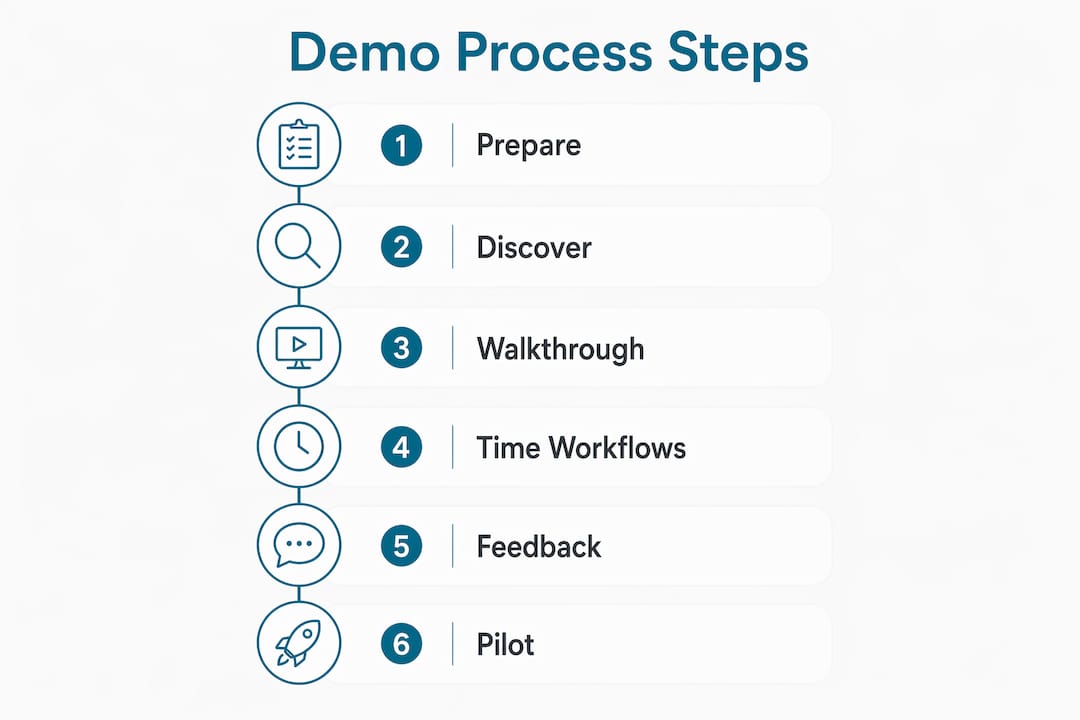
A well-run demo follows a clear sequence. Jumping straight into features without context produces information overload and poor retention. Structure your 30-minute session like this:
- Open with a five-minute workflow overview. Describe your current process from job request to invoice. This gives the vendor a baseline and keeps the demo grounded in your reality rather than their sales script.
- Request scenario-based walkthroughs. Ask the vendor to simulate a real job from your list. For an HVAC company, that might mean creating a service call, dispatching a technician, and closing the job with a digital work order. Watch how many clicks each step takes.
- Test the mobile app directly. Mobile features like offline sync, signature capture, checklists, and GPS arrival detection are non-negotiable for field teams working in areas with poor connectivity. Ask the vendor to demonstrate these live, not just describe them.
- Watch the automation chain. The real value of field service software is replacing manual follow-up. Status triggers notify customers and office staff automatically when job status changes. Ask the vendor to trigger one during the demo so you can see the customer notification in real time.
- Verify the invoicing flow. The goal is for technicians to close jobs and trigger automated invoicing without office intervention. Ask the vendor to walk through a job completion that generates and sends an invoice automatically.
- Check back-office integration. Ask specifically how the software syncs with QuickBooks or Xero. A typical implementation dedicates a full day to accounting integration, so understanding this step during the demo prevents surprises later.
- Invite a technician to participate. Your most tech-comfortable field tech should attend the demo. Their questions will surface usability issues that managers miss entirely.
Pro Tip: Time each major workflow during the demo. If creating a work order takes more than 90 seconds, your technicians will resist using it in the field. Speed matters as much as features.
For trade-specific guidance on aligning demo features to your workflows, Ampleexpress provides fit recommendations by crew size and trade type.

***
Common mistakes that kill demo effectiveness
Most demos fail not because the software is bad, but because the session was set up to fail. Recognizing these patterns before your demo keeps you in control of the evaluation.
- Accepting a generic demo. If the vendor shows you a fictional plumbing company when you run an electrical crew, the demo tells you nothing. Insist on scenarios built around your trade and job types before agreeing to a session.
- Skipping mobile usability. Office-side features look polished in every demo. Mobile app performance is where most platforms fall short. Test offline mode, form load speed, and photo upload on a real device during the session.
- Ignoring accounting integration. Data hygiene issues in mapping service items and customer records cause duplicate entries and billing errors after go-live. Ask the vendor to show exactly how service names and customer data map between systems.
- Trying to see everything. Covering too many features at once leads to confusion and poor adoption. Focus the demo on the 20% of features your team uses every day: scheduling, job creation, and invoicing. Save advanced features for a follow-up session.
- Leaving the back office out. Dispatchers and office managers live in the software as much as technicians do. Include at least one office-side staff member in the demo to catch workflow gaps that field-focused managers overlook.
"The real value in a demo is visualizing how fragmented, manual systems are replaced by automated status triggers and customer notifications that keep teams informed." — Field Service Software Explained
Understanding why software needs differ by trade helps you filter out platforms that look good in a generic demo but fail in your specific context.
***
How to measure success and build team buy-in after the demo
A demo that impresses in the room but stalls during rollout is a failed demo. The session should produce clear evidence that the software fits your team, not just a good feeling.
- Define success metrics before the demo ends. Set three measurable targets: technician app adoption rate within 30 days, reduction in paper work orders, and time from job completion to invoice sent. These give you a concrete baseline for evaluating the software post-trial.
- Run a pilot with one or two technicians. A phased rollout starting with technically adept technicians uncovers real-world issues like network problems, form length, and workflow gaps before full deployment. This approach reduces resistance across the wider team.
- Document friction points from the pilot. Every complaint from your pilot technicians is a data point. If the work order form takes too long to complete on-site, that is a configuration problem you can fix before rolling out to the full crew.
- Communicate the "what's in it for me" to your team. Technicians adopt software faster when they understand the direct benefit. Fewer phone calls from the office, no paper forms to lose, and faster job closeouts are concrete wins that resonate on the job site.
- Schedule a follow-up demo for advanced features. Dynamic digital work orders that automate customer communication upon job completion reduce administrative effort significantly. Once your team is comfortable with core features, a second demo session covering automation and reporting builds long-term value.
Pro Tip: Ask the vendor for a 14-day sandbox environment after the demo. Real adoption decisions happen when your team uses the software on actual jobs, not in a controlled demo setting.
***
Key Takeaways
Demoing field service software effectively requires preparation, scenario-based execution, and a phased adoption plan that puts your team's daily workflows at the center of every decision.
| Point | Details |
|---|---|
| Prepare specific inputs | Bring trade, crew size, pain points, and real job examples to every demo session. |
| Focus on core features | Prioritize scheduling, job creation, and invoicing over advanced features during the demo. |
| Test mobile performance | Verify offline sync, signature capture, and GPS features on a real device during the session. |
| Avoid integration blind spots | Ask vendors to demonstrate QuickBooks or Xero syncing to prevent billing errors after go-live. |
| Use a phased rollout | Start with one or two technicians post-demo to surface usability issues before full deployment. |
***
Why most demos miss the point entirely
I have sat through dozens of field service software demos with contractors across HVAC, plumbing, and electrical trades. The pattern is almost always the same. The vendor runs a polished walkthrough. The manager nods along. The technician in the back row checks his phone. Three weeks later, the software sits unused.
The problem is that most people treat a demo as a sales presentation to evaluate. It is actually a communication tool. The demo is where you and the vendor align on whether this platform can replace your whiteboard, your Excel sheet, and your 6 a.m. dispatch calls. If you are not actively testing that alignment during the session, you are just watching a product video.
The contractors I have seen get the most out of their demos are the ones who show up with a problem list, not a feature checklist. They say, "Show me what happens when a technician finishes a job at 4:45 p.m. and the office is closed." That one question reveals more about a platform than 20 minutes of feature slides.
Small businesses especially benefit from this approach. You do not have an IT department to fix integration errors or a training team to onboard reluctant technicians. The demo is your best chance to stress-test the software before you commit. Use it that way.
— Blake
***
Find field service software built for your trade and crew size
Ampleexpress matches HVAC, plumbing, electrical, and pest control contractors with software ranked by crew size, rollout risk, and trade fit. Every recommendation includes pricing paths and fit notes so you know what you are evaluating before the demo starts.

Explore trade-specific software options for HVAC, plumbing, electrical, and pest control teams, each with scenario customization and mobile offline support built in. Use the software cost calculator to estimate ROI before you book a single demo. Ampleexpress covers over 30 field service platforms with independent rankings, so you walk into every demo knowing exactly what to ask.
***
FAQ
How long does a field service software demo typically take?
Most professional demos run about 30 minutes, starting with a five-minute discovery of your workflows and pain points. Vendors customize the remaining time around your trade and crew size.
What features should I prioritize during a field service software demo?
Focus on scheduling, job creation, mobile offline access, and automated invoicing. Training on the 20% of features covering 80% of daily tasks prevents overload and speeds adoption.
How do I get my technicians to adopt software after the demo?
Start with a pilot of one or two technicians before full rollout. A phased approach uncovers usability issues early and builds buy-in before the whole team is involved.
What is the biggest mistake managers make during a software demo?
Accepting a generic demo that does not reflect your actual workflows. Insist on scenario-based walkthroughs built around your trade, job types, and current pain points before agreeing to any session.
Do I need to commit to anything to book a field service software demo?
No. Demos typically require no upfront commitment, and vendors usually respond within one business day to schedule a discovery call and demo session.
Recommended
- Pest Control field service software
- Get a Pest Control software shortlist
- Best Field Service Software Shortlist | Ample Express
- State of Field Service Software 2026 | Ample Express
- austin Electrical software guide | Ample Express
- Top 5 fieldroutes.com Alternatives for Field Service Management 2026