
Independent Software Vendor Comparison Explained for Field Service
Discover the benefits of an independent software vendor comparison explained. Learn how to evaluate ISVs effectively to avoid costly mistakes!
July 21, 2026
Article

An independent software vendor (ISV) is defined as a company that develops and sells software independently from hardware manufacturers or platform providers. An ISV comparison, formally called a software vendor evaluation, is the process of scoring multiple ISVs against weighted criteria before signing any contract. Field service contractors who skip this process routinely pay for features they never use, lock into contracts with poor support terms, or discover integration gaps only after go-live. This guide covers the core concept, practical evaluation criteria, a step-by-step framework, and the most common mistakes that cost contractors time and money.
What is an independent software vendor (ISV) and why compare them?
An ISV builds and sells software as its primary product. That distinction matters because ISVs are not system integrators, hardware resellers, or platform extensions. They own their code, set their own pricing, and control their own roadmap. For field service businesses, this means the vendor you choose for dispatch, invoicing, or job history management is solely responsible for every update, bug fix, and support response.
Field service software covers a wide range of ISV types:
- Entry-level field apps built for solo operators or crews under five technicians, typically priced per user with limited integration
- Mid-market platforms designed for teams of 5–50 that include dispatch boards, mobile access, and basic reporting
- Enterprise platforms built for multi-location operations with advanced scheduling, compliance tracking, and API-level integrations
Comparing ISVs matters because no two vendors solve the same problem the same way. One platform may handle HVAC preventive maintenance scheduling well but lack the invoicing depth a plumbing contractor needs. Another may offer strong mobile tools but require a third-party integration for parts ordering. Without a structured vendor comparison, you are choosing based on sales presentations rather than operational fit.
The ISV market for field service is also fragmented. Over 30 platforms actively compete for HVAC, plumbing, electrical, and pest control contracts. That volume makes informal comparison unreliable. A systematic evaluation cuts through vendor noise and surfaces the options that actually match your crew size, workflow, and budget.
What criteria matter most in a software vendor evaluation?
The most effective software vendor evaluation guide separates criteria into three tiers: functional requirements, operational requirements, and contract terms.

Functional requirements define what the software must do. Specificity matters here. "Scheduling" is not a requirement. "Real-time inventory tracking synced to technician mobile devices" is. Vague requirements produce vague comparisons. Write requirements in the form of user stories: "A dispatcher must be able to reassign a job to a different technician within 30 seconds from the dispatch board."
Operational requirements cover how the software fits into your existing environment:
- Integration with your accounting system (QuickBooks, Xero, or similar)
- Data residency and backup policies
- Support SLA response times, especially for after-hours field emergencies
- Mobile performance on low-bandwidth connections common in rural service areas
Contract and IP terms are the most overlooked filter in any vendor evaluation guide. Source-code escrow clauses and termination-for-convenience rights protect you from vendor lock-in. If a vendor scores below a minimum threshold on contract terms, contract/IP scores below 1.5 out of 3 disqualify that vendor immediately, regardless of how strong their feature set looks. That rule removes emotion from a decision that often gets made on demo impressions alone.
Scoring works best with a weighted model. Weight must-have criteria three times more than nice-to-haves, and lock those weights before any demo begins. Changing weights after demos to favor a preferred vendor defeats the entire purpose of the exercise.
Pro Tip: Build your scorecard in a shared spreadsheet before you contact a single vendor. Lock the weights with sign-off from every decision-maker. This one step prevents the most common source of split decisions.
How to structure an effective ISV evaluation process
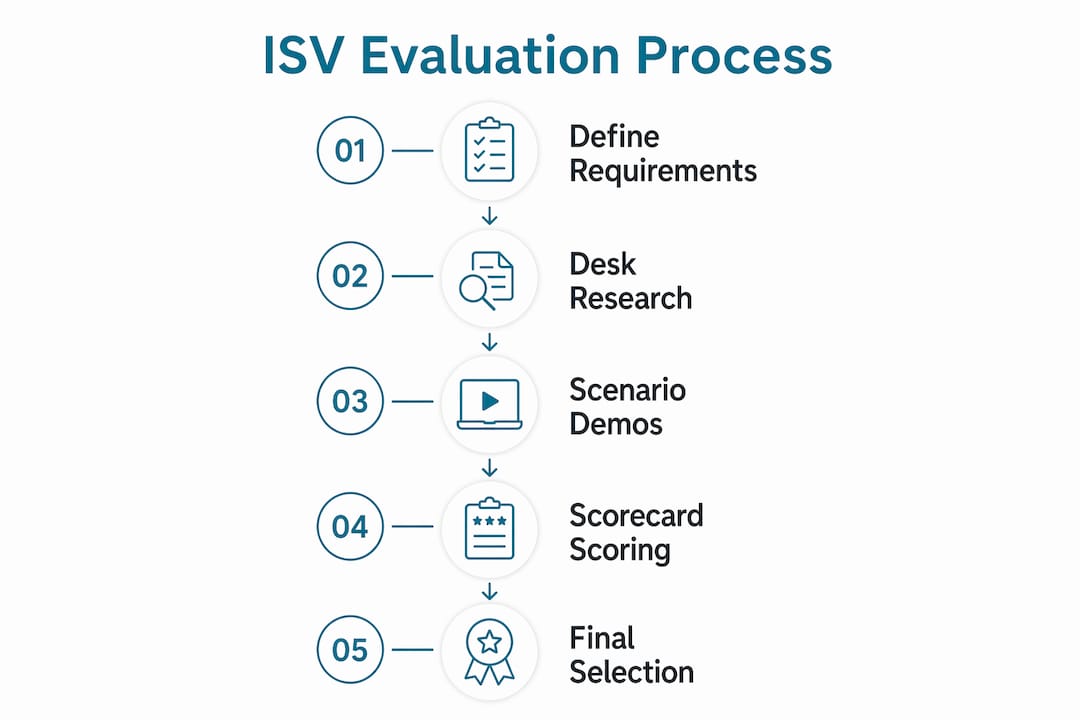
A structured evaluation typically spans about six weeks and uses a two-stage cut process. Here is the sequence that produces the clearest outcome:
- Align on requirements first. Agree on requirements with all stakeholders before contacting any vendor. Split decisions almost always trace back to requirements that were never formally agreed upon.
- Desk review. Score each vendor against your written requirements using publicly available information: documentation, pricing pages, and third-party reviews. Eliminate vendors who fail must-have criteria without a single call.
- Screening calls. Run 30-minute calls focused only on your top must-haves. This stage cuts the field from eight or ten vendors down to three or four.
- Scenario-based demos. Scenario-based demos using your actual business data expose functional gaps that polished vendor scripts hide. Give each vendor the same three scenarios drawn from your real workflows. A vendor who handles your scenarios well is a vendor who understands your business.
- Pilot testing. Pilot testing with real users over at least two weeks validates integration and usability before any contract commitment. Include 3–5 technicians or dispatchers who will use the software daily.
- Decision summary. Document trade-offs clearly before signing. A defensible decision summary identifies what each finalist does well, where it falls short, and why the selected vendor was chosen despite those gaps.
The table below maps each stage to its primary output:
| Stage | Primary Output |
|---|---|
| Requirements alignment | Signed-off scorecard with locked weights |
| Desk review | Shortlist of 3–5 qualified vendors |
| Screening calls | Confirmed must-have fit for top 3 vendors |
| Scenario-based demos | Functional gap report per vendor |
| Pilot testing | Usability and integration validation report |
| Decision summary | Documented trade-off rationale for stakeholders |
Pro Tip: Record scenario-based demos with vendor permission. Reviewing footage later reveals details you miss in real time, especially around how the vendor handles exceptions and edge cases.
What are the most common pitfalls in ISV comparisons?
The biggest mistake field service contractors make is letting vendors control the demo script. A vendor-controlled demo shows you the software at its best. Your own scenarios show you whether it works for your jobs. Sales demos are polished performances. Scenario testing is the only reliable way to see true functional fit.
Other pitfalls that derail evaluations:
- Ignoring contract terms until the end. IP ownership, data portability, and exit clauses should be reviewed in the screening stage, not after you have already decided on a vendor emotionally.
- Underestimating total cost. Total cost of ownership includes setup fees, training time, integration development, and the labor cost of manual processes the software does not replace. A lower monthly subscription can cost more over three years than a higher-priced platform that automates more.
- Relying on vendor-provided references. Vendors curate their reference lists. Independent references found through industry associations, trade forums, or LinkedIn give you a more realistic picture of implementation quality and support responsiveness.
- Evaluation committee bias. A single internal champion who favors one vendor can skew a group decision. Keep the evaluation committee small, include diverse roles (dispatcher, technician, owner, accountant), and require each member to score independently before group discussion.
The goal is not to find a perfect vendor. The goal is a defensible choice with documented trade-offs that every stakeholder understands and accepts.
How to apply ISV comparison frameworks to field service needs
Field service businesses have specific requirements that generic software evaluation guides miss. The software vendor comparison criteria for HVAC, plumbing, electrical, and pest control teams center on four operational areas:
- Dispatch and scheduling integration. The software must handle real-time job assignment, technician location tracking, and schedule changes without requiring a phone call between dispatcher and tech.
- Mobile invoicing and payment capture. Technicians need to generate invoices and collect payment on-site. Platforms that require office-side invoice creation add unnecessary steps and delay cash flow.
- Offline mobile performance. Many field jobs happen in basements, crawl spaces, or rural areas with poor cell coverage. The app must function offline and sync when connectivity returns.
- Industry compliance and data security. Pest control operators face EPA reporting requirements. Electrical contractors in some states must maintain digital job records for licensing audits. Verify that the platform supports your specific compliance needs before shortlisting.
Support SLA relevance is also critical for field service. A vendor whose support team operates 9 AM to 5 PM Eastern time is a poor fit for a plumbing contractor running emergency calls at 11 PM. Verify actual support hours, not just what the sales page claims.
Pro Tip: Ask each vendor for their median first-response time on support tickets over the past 90 days. Vendors with strong support will have this number ready. Vendors who deflect the question are telling you something important.
Key Takeaways
A defensible ISV selection requires locked weighted criteria, scenario-based demos, and documented trade-offs reviewed by all stakeholders before contract signing.
| Point | Details |
|---|---|
| Define requirements first | Lock weighted scorecard with stakeholder sign-off before contacting any vendor. |
| Use scenario-based demos | Supply vendors with your real data and workflows to expose functional gaps. |
| Filter on contract terms early | Disqualify vendors with weak IP or exit clauses before investing in full demos. |
| Include end-users in pilots | Run at least two weeks of real-workflow testing with 3–5 actual users before committing. |
| Document trade-offs clearly | A written decision summary prevents buyer's regret and aligns stakeholders at signing. |
Why most ISV evaluations fail before the demo even starts
After working through dozens of software evaluations with field service contractors, the pattern is consistent. Most evaluations fail not because the wrong vendor wins, but because the evaluation never had clear rules to begin with. Requirements were vague. Weights were never agreed upon. The person running the evaluation had a preferred vendor before the process started.
The uncomfortable truth is that a rigorous evaluation process feels slow when you are under pressure to replace a broken system. A dispatcher dealing with scheduling chaos wants a solution this week, not in six weeks. That urgency is exactly when discipline matters most. Rushing past the requirements stage or skipping pilot testing because a demo looked impressive are the decisions that lead to expensive replacements 18 months later.
The other thing most articles on this topic miss: the decision summary is not a formality. Writing down why you chose a vendor, including its known weaknesses, forces clarity that a verbal agreement never does. When a vendor underdelivers on implementation, that document tells you whether the problem was a vendor failure or a requirement you never specified. That distinction matters when you are negotiating a remedy.
Field service contractors also tend to underweight support quality relative to features. A platform with 90% of the features you need and a support team that responds in two hours beats a platform with 100% of the features and a support team that takes three days. Features are visible in demos. Support quality only shows up after you sign.
— Blake
Ampleexpress makes vendor comparison faster for field service teams
Field service contractors spend weeks researching software options that may not even fit their trade or crew size. Ampleexpress removes that friction by providing a ranked shortlist of over 30 field service software options, each evaluated on pricing paths, rollout risk, and operational fit for HVAC, plumbing, electrical, and pest control teams.
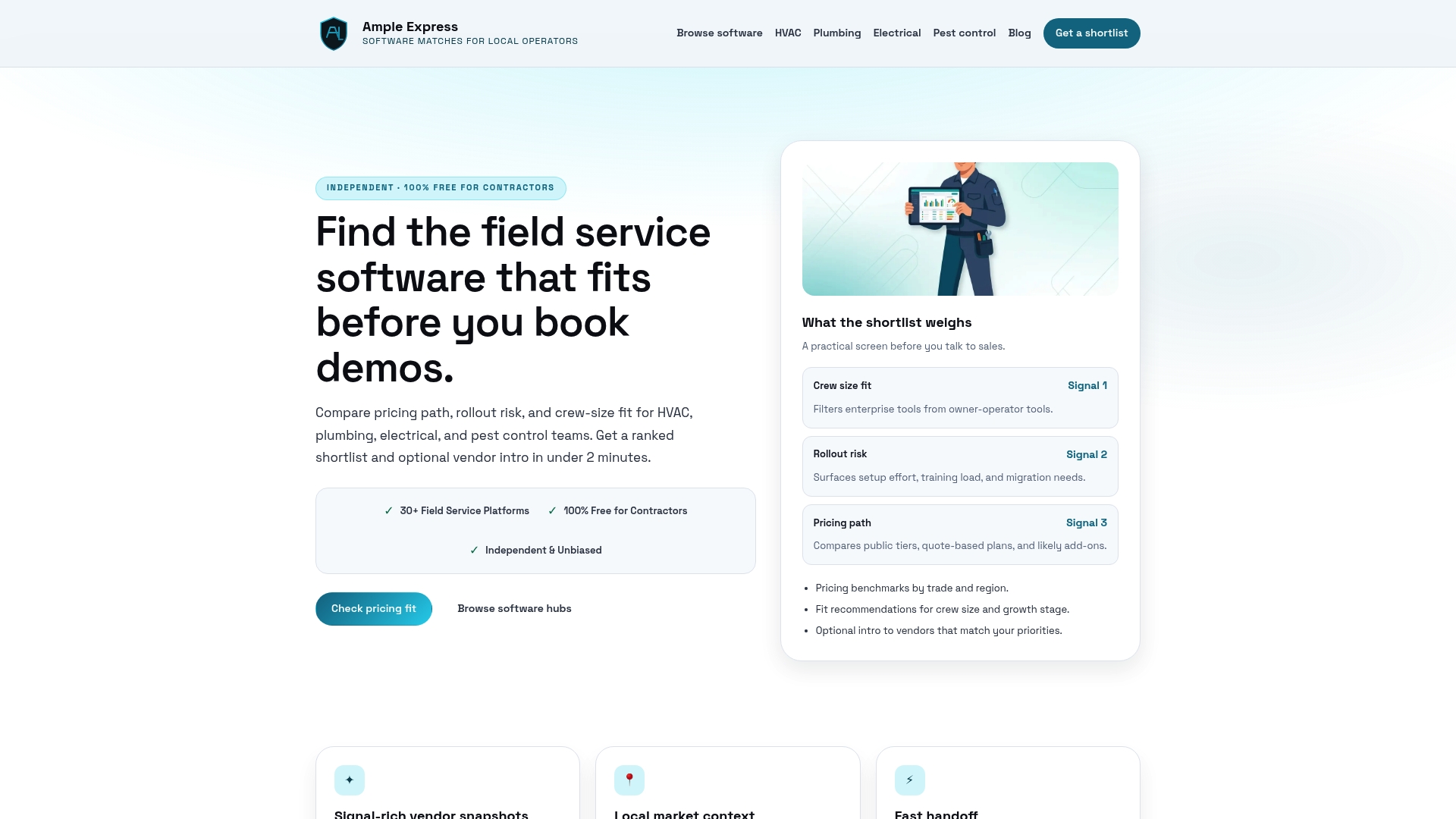
The platform also includes a software cost calculator that maps total cost of ownership against your crew size and current workflows. Contractors can filter by trade and region to see local pricing benchmarks before they contact a single vendor. Explore the full field service software catalog to find options ranked specifically for your trade and team size.
FAQ
What is an independent software vendor (ISV)?
An ISV is a company that develops and sells software independently from hardware manufacturers or platform providers. ISVs own their code, control their pricing, and are solely responsible for support and updates.
How long does a software vendor evaluation take?
A structured evaluation typically spans about six weeks, using a two-stage cut process that moves from desk review to screening calls to scenario-based demos and pilot testing.
What is the most important criterion in a software vendor comparison?
Contract and IP terms are the most critical filter. A vendor who scores poorly on exit rights, data portability, or source-code escrow should be disqualified regardless of feature strength.
How do I avoid bias in an ISV evaluation?
Lock your weighted scorecard before contacting any vendor, keep the evaluation committee small with diverse roles, and require independent scoring before group discussion to prevent any single champion from skewing the result.
Why should field service contractors use scenario-based demos?
Scenario-based demos using your actual workflows and data reveal functional gaps that vendor-controlled scripts hide, giving you a realistic picture of how the software performs on your specific jobs.
Recommended
- Pest Control field service software
- Get a Pest Control software shortlist
- Software Fit Recommendation for Field Service Managers
- Compare Field Service Software Side by Side (2026) | Ample Express
- State of Field Service Software 2026 | Ample Express
- Multi-Vendor Software Comparison: A 2026 Guide for Managers