
Why Software Demos Matter for Contractors: 2026 Guide
Discover why software demos matter for contractors. Uncover how demos validate real workflows before buying, ensuring the right choice.
June 24, 2026
Article
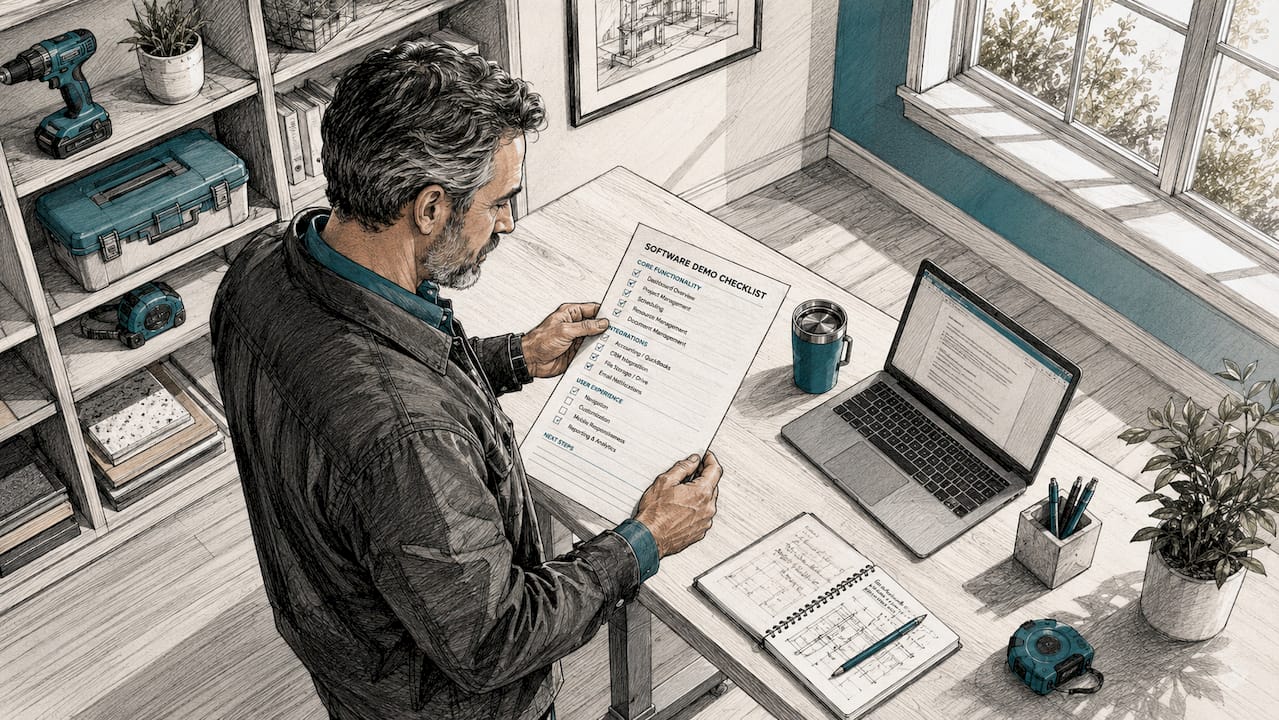
A software demo is a live or recorded walkthrough that shows whether a product can handle your real workflows before you commit to buying it. For field service contractors, this distinction matters more than in almost any other industry. A demo for ServiceTitan, Knowify, or any comparable platform is not a sales presentation. It is a verification test. Understanding why software demos matter for contractors starts with recognizing that a polished pitch and a functional tool are two very different things.
Why software demos matter for contractors making real buying decisions
Demos are the highest leverage sales motion for software purchases above $5,000 with multiple stakeholders. That covers nearly every field service platform an HVAC, plumbing, electrical, or pest control contractor would evaluate. The demo is where you stop taking a vendor's word for it and start testing reality.
Two-thirds of software buyers report significant operational disruptions or purchase regret when they skip thorough demo assessment of real workflows. That number reflects a pattern Ampleexpress sees repeatedly: contractors who rushed a purchase based on a feature list end up managing a failed rollout six months later. The cost of that failure, in lost technician time and re-training, far exceeds the cost of a rigorous demo process.
The importance of software demos comes down to one core fact. Software that looks clean in a vendor's curated walkthrough can collapse when it hits a real jobsite. Poor cell connectivity, partial job data, and last-minute change orders are not edge cases for contractors. They are Tuesday.

How demos reduce purchase regret and operational disruptions
UX expert reviews during demos uncover 70–80% of major usability pain points at one-third the cost of formal usability testing. That means a well-run demo session does more diagnostic work than most post-purchase audits. The savings are not just financial. They protect your crew from adopting a tool that slows dispatch, breaks job costing, or creates billing errors.
The benefits of software demos for contractors become clearest when you test against messy, real-world conditions. Ask the vendor to show what happens when a technician submits a job with incomplete parts data. Ask how the system handles a change order mid-job when the field crew is offline. These are not trick questions. They are the exact scenarios your team faces every week.
Common issues a thorough demo should surface:
- Offline functionality gaps: Does the mobile app work without a signal, or does it freeze?
- Change order handling: Can a tech update scope in the field without losing job history?
- Dispatch visibility: Does the scheduler show real-time crew location and job status?
- Job costing accuracy: Does the system capture labor and parts costs at the job level automatically?
- Integration behavior: How does the platform connect to QuickBooks or your existing invoicing tool?
Pro Tip: Before your demo, write out three real jobs from last month, including one that went sideways. Use those exact scenarios during the walkthrough. If the software cannot handle your messy jobs, it cannot handle your business.
What the data says about demo conversion rates vs. other methods
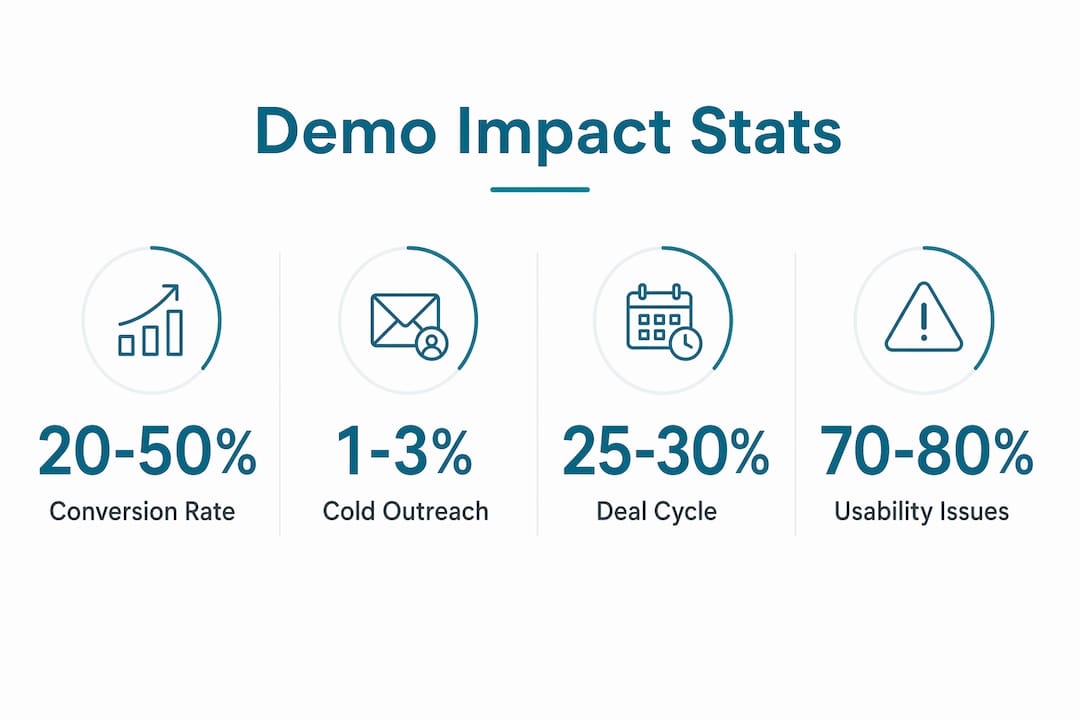
Well-executed B2B software demos convert at 20–50%, compared to a 1–3% conversion rate for cold outreach. Demos also shorten deal cycles by 25–30% for complex purchases. For contractors evaluating platforms with multi-year contracts, that speed matters. A faster decision means less time running parallel systems and less operational drag during the selection process.
77% of enterprise software buyers identify the product demo as the most influential purchase factor. For purchases above $100,000, that figure rises to 89%. Personalized demos tailored to specific roles increase conversion by 40–50%. That last point is critical for contractors: a demo built for a project manager looks nothing like one built for a field technician or an office dispatcher.
"Most contractors see demos as risk-mitigation consultations rather than sales pitches. Demos must verify software reliability under real conditions." — TruTec Blog
| Metric | Demo | Cold Outreach |
|---|---|---|
| Conversion rate | 20–50% | 1–3% |
| Deal cycle impact | 25–30% shorter | No measurable reduction |
| Buyer influence ranking | #1 factor for 77% of buyers | Low |
| Role-specific personalization lift | 40–50% higher conversion | Not applicable |
The interactive demo itself has become the primary trust asset in software buying. It gives contractors the mental model they need to justify an investment internally, whether that means convincing a business partner, a CFO, or a senior technician who will use the tool daily.
Common pitfalls contractors face during software demos
Demos fail when they become feature tours disconnected from contractor realities. A vendor who walks through a clean dashboard without mentioning RFIs, submittals, or change orders is not speaking your language. Contractors tune out vendors who do not use field-specific terminology. That disconnect is not just frustrating. It signals the vendor does not understand your workflows.
Scripted demos are the biggest trap. Vendors control the sequence, use pre-loaded perfect data, and avoid any scenario that exposes a weakness. You end up evaluating a marketing presentation, not a software product. The software selection checklist for 2026 from Ampleexpress addresses this directly: structured, hands-on demos are the primary tool for reducing rollout risk.
Use these tactics to take control of any demo:
- Bring your own data. Ask the vendor to load a real job record, not a sample one.
- Request an offline test. Ask the tech to simulate a field scenario with no internet connection.
- Interrupt the script. Ask "what happens if the tech does X instead?" mid-walkthrough.
- Involve your dispatcher. Have the person who will use the tool daily ask their own questions.
- Ask about failure modes. "What does the system do when it can't sync?" is a fair question.
- Test edge cases. Bring specific scenarios from manual processes that your current system handles poorly.
Pro Tip: Treat every demo like a job inspection, not a product tour. Your job is to find the cracks before you sign a contract, not after.
How to prepare for and run a demo that actually tells you something
Effective demo preparation starts before you contact a vendor. Define the three or four operational jobs your software must do well. For most field service contractors, those are job costing, dispatch management, change order tracking, and customer communication. Everything else is secondary.
Follow this sequence to get the most out of any software demo:
- Map your current workflow. Document how a job moves from dispatch to invoice today, including every manual step and workaround.
- Identify your failure points. Note where jobs stall, where data gets lost, and where billing errors occur most often.
- Build a scenario library. Create five to seven real job scenarios, including at least two that went wrong.
- Assign roles to attendees. Your office manager, lead technician, and dispatcher should each attend and ask questions from their own perspective.
- Score vendors with weighted criteria. Rate each platform on usability, reliability, job costing accuracy, and integration fit. Weight the criteria by operational priority.
- Demand a pilot before purchase. A demo should lead to a narrow, rule-based pilot before full rollout. A pilot tests software under real job pressures, not demo conditions.
The pilot phase is where most contractors skip a critical step. A polished demo does not guarantee a smooth rollout. Pilots protect contractors from costly implementations that fall apart after the contract is signed. Run the pilot on a single job type or crew for 30 days before committing to full adoption.
| Evaluation area | What to test in the demo | What to test in the pilot |
|---|---|---|
| Job costing | Does it capture labor and parts automatically? | Does it stay accurate across 20+ real jobs? |
| Dispatch | Does the scheduler update in real time? | Does it hold up during a busy dispatch day? |
| Change orders | Can techs update scope in the field? | Do change orders sync to invoicing without errors? |
| Offline performance | Does the app function without signal? | Does it sync correctly when connectivity returns? |
| Integration | Does it connect to your accounting tool? | Does data transfer cleanly after 30 days of use? |
Contractors who define operational criteria clearly and measure usability, reliability, and fit during demos achieve better rollout outcomes. That is not a coincidence. It is the result of treating the demo as a diagnostic tool rather than a buying formality.
For contractors evaluating platforms like ServiceTitan against alternatives, the HVAC contractor comparison guide on Ampleexpress shows exactly why demo quality varies so much by trade and crew size.
Key Takeaways
Software demos are the single most effective tool contractors have to verify software fit before purchase, and skipping a rigorous demo process is the leading cause of costly implementation failures.
| Point | Details |
|---|---|
| Demos prevent purchase regret | Two-thirds of buyers report disruptions when they skip thorough demo assessment of real workflows. |
| Personalized demos convert better | Role-specific demos increase conversion rates by 40–50% compared to generic walkthroughs. |
| Treat demos as inspections | Bring real job scenarios, messy data, and edge cases to expose software weaknesses before signing. |
| Pilot before full rollout | A narrow, rule-based pilot after the demo validates performance under actual jobsite conditions. |
| Score vendors with criteria | Weighted scoring on usability, reliability, and fit produces better selection outcomes than gut feel. |
The inspection mindset most contractors never use
The contractors who get the most out of demos are the ones who walk in with a list of problems, not a list of features they want. I have seen demos where a vendor spent 45 minutes on a reporting dashboard while the contractor's actual pain point was that techs were losing change order data in the field. The demo looked great. The rollout was a disaster.
The shift that changes everything is treating a demo the way you would treat a subcontractor walkthrough. You are not there to be impressed. You are there to find out if this tool can handle your jobs, your crew, and your worst days. Effective demos use buyer-centered conversations in authentic language. If a vendor cannot speak in terms of dispatch, job costing, and change orders, they do not know your business.
The other thing most contractors miss is the internal champion role. A demo is not just for the decision-maker. It is the evidence your office manager, lead tech, or operations coordinator needs to get comfortable with a change. Live demos provide the verifiable mental models people need to support a software investment. Bring your team. Let them ask hard questions. The vendor who handles that well is the one worth piloting.
The long-term efficiency gains from a rigorously validated software choice are real. But they only happen when you do the work upfront, in the demo, before the contract is signed.
— Blake
Ampleexpress helps contractors run demos that actually work
Field service contractors spend weeks evaluating software and still end up with the wrong fit. Ampleexpress cuts that risk by matching HVAC, plumbing, electrical, and pest control teams with a ranked shortlist of over 30 platforms, each scored for crew size, rollout risk, and operational fit.

The Ampleexpress process is built around your real workflows, not vendor marketing. Use the field service software comparison tool to evaluate platforms side by side, or run the software cost calculator to benchmark pricing against your crew size and region. When you are ready to go deeper, the field service software directory gives you trade-specific options with transparent pricing paths and fit recommendations. Share your crew size and top priorities, and Ampleexpress will point you to the platforms worth demoing.
FAQ
Why do software demos matter for field service contractors?
Software demos let contractors verify that a platform handles real workflows like dispatch, job costing, and change orders before purchase. Skipping a thorough demo is the leading cause of operational disruptions and purchase regret.
What is the conversion rate for a well-run B2B software demo?
Well-executed B2B software demos convert at 20–50%, compared to 1–3% for cold outreach. They also shorten deal cycles by 25–30% for complex purchases.
How should contractors prepare for a software demo?
Bring three to five real job scenarios, including at least one that went wrong. Ask the vendor to test those exact cases, not pre-loaded sample data.
What is the difference between a demo and a pilot?
A demo shows how software performs under controlled conditions. A pilot tests it on real jobs with your actual crew for 30 days before full adoption.
What questions should contractors ask during a software demo?
Ask how the system handles offline use, change orders in the field, and incomplete job data. Bringing specific edge cases from your current manual processes is the most reliable way to expose software weaknesses before you buy.