
What Is Rollout Risk Software? A Guide for Service Teams
Discover what is rollout risk software and how it helps service teams assess and mitigate risks in software deployments effectively.
July 18, 2026
Article

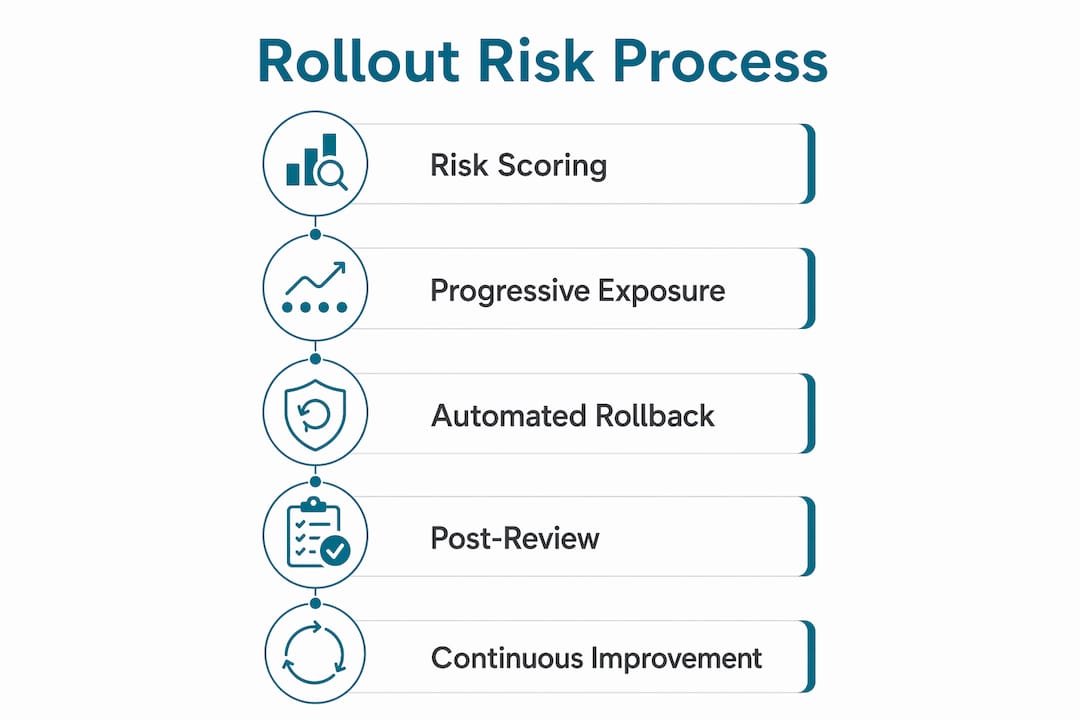
Rollout risk software is defined as a platform that identifies, assesses, and mitigates the risks involved in deploying new or updated software across an organization. For project managers in service industries like HVAC, plumbing, electrical, and pest control, a failed software rollout means dispatchers lose visibility, crews miss jobs, and billing stops. The industry standard approach combines risk scoring, progressive deployment, automated rollback, and governance protocols to keep deployments controlled. Ampleexpress surfaces rollout risk ratings for over 30 field service software options, giving you a clear picture before you commit to a vendor.
What is rollout risk software and why does it matter?
Rollout risk software is a specialized platform that quantifies deployment risk before, during, and after a software release. The term "rollout risk software" is widely used in project management circles, but the recognized industry term is risk-aware release governance. Both refer to the same core practice: controlling how new software reaches users to prevent failures from spreading.
Risk-aware release governance powered by AI is reshaping how companies manage deployment, moving from reactive incident response to proactive failure prevention. That shift matters enormously for service businesses where downtime directly costs revenue. A plumbing company that loses dispatch access for four hours during peak season does not recover that revenue.
The software works by assigning a composite risk score to each release. Rollout risk is a composite of impact, likelihood, and blast radius, not just the percentage of users exposed. Likelihood factors in code complexity, dependencies, and test coverage. Blast radius measures how many users or workflows a failure would affect. Together, these three inputs give project managers a single number to act on.

What are the common risks in software rollouts?
Software rollout risks fall into two categories: technical and operational. Both categories cause real damage, and neither can be ignored.
Technical risks include:
- Code complexity that introduces bugs not caught in testing
- Data migration errors that corrupt job history or customer records
- Infrastructure incompatibilities between new software and existing dispatch or invoicing systems
- Insufficient test coverage that leaves edge cases untested until go-live
Operational risks include:
- User adoption resistance from field crews unfamiliar with new workflows
- Poor internal communication that leaves managers and dispatchers unprepared
- Unclear governance with no defined owner for rollout decisions
- Passive resistance when staff treat the rollout as an IT project rather than a change to their daily work
Poor ownership and cultural resistance cause rollout failures more often than technical issues. That finding runs counter to how most project managers plan deployments. They invest heavily in QA and almost nothing in change management.
The consequences of unmanaged rollout risks are concrete. Downtime stops dispatching. Data loss wipes job history. User frustration drives crews back to spreadsheets and phone calls. For a pest control company running 40 routes a day, even two hours of system failure creates a backlog that takes days to clear.
Pro Tip: Map every workflow that touches the new software before go-live. Identify which ones have no manual fallback. Those workflows define your highest-risk blast radius.
How does rollout risk software work?
Rollout risk software operates through five core capabilities that work together to control deployment exposure and enable fast recovery.
- Risk scoring. The platform calculates a score based on impact, likelihood, and blast radius for each release. A payment processing update scores higher than a UI color change. That score determines which deployment controls apply.
- Progressive rollouts and feature flagging. High-risk rollouts affecting sensitive systems like payments start at 1–5% of traffic to limit blast radius. The software gates access by user segment, crew, or region. You expose a small group first, monitor results, then expand incrementally.
- Automated rollback triggers. The platform monitors live metrics and triggers rollback automatically when thresholds are breached. Automated rollback triggers fire when the 5xx error rate exceeds baseline by 3x for 10 minutes, or when p95 latency doubles for 15 minutes. That specificity removes guesswork from the rollback decision.
- Kill switches. A kill switch disables a risky feature in under 30 seconds without requiring a code deployment. That speed is critical when a broken feature is actively disrupting field operations.
- Governance modules. The software assigns ownership for each rollout decision and defines escalation paths. When a metric breaches a threshold, the system routes the alert to the named owner, not a generic inbox.
| Capability | What it does | Why it matters for service teams |
|---|---|---|
| Risk scoring | Rates each release by impact, likelihood, and blast radius | Prioritizes which releases need extra controls |
| Progressive rollout | Exposes new software to a small user group first | Limits damage if a bug reaches production |
| Automated rollback | Reverts to the prior version when metrics breach thresholds | Cuts recovery time from hours to minutes |
| Kill switch | Disables a feature in under 30 seconds | Stops active failures without a code push |
| Governance module | Assigns ownership and escalation authority | Prevents alert fatigue and decision paralysis |
Best practices for implementing rollout risk software
Effective rollout risk management starts before a single line of code reaches production. These practices apply directly to service industry projects where operational continuity is non-negotiable.
Before the rollout:
- Conduct a technical risk assessment covering code complexity, integration points, and data migration scope
- Engage stakeholders early. Early stakeholder engagement and structured communication reduce adoption resistance before it becomes a problem
- Build a fallback plan that defines exactly how you revert if the rollout fails
- Assign a named owner for every rollout decision and define escalation authority in writing
During the rollout:
- Run alpha and beta phases with internal users before exposing field crews
- Use staged rollouts to expand exposure incrementally. Parallel runs and staged rollouts reveal integration and data migration issues before full go-live
- Monitor stop-loss metrics in real time. Set alert thresholds before the rollout starts, not after something breaks
- Keep the kill switch accessible to the named owner at all times
After the rollout:
- Conduct a post-implementation review within two weeks of go-live
- Document what worked, what failed, and what the monitoring caught early
- Remove feature flags that are no longer needed. Stale flags create technical debt and unpredictable behavior
Pro Tip: Treat your post-implementation review as a required deliverable, not an optional debrief. The lessons from one rollout directly reduce risk on the next one.
For service teams evaluating contractor operations software, these practices apply whether you are rolling out dispatch software, invoicing tools, or a full field service management platform.
Common pitfalls in rollout risk management
Even teams with solid rollout plans make predictable mistakes. Recognizing these pitfalls before they occur is the difference between a controlled deployment and an emergency.
- Zombie flags. Feature flags that never get removed accumulate into technical debt. A 90-day expiration minimum is the recommended standard for feature flags. Flags older than that create unpredictable behavior and make rollback harder.
- Database schema migration errors. Schema changes are the most common source of irreversible rollout failures. Database schema migrations should follow the expand-contract pattern, separating database update steps from code logic changes so each can be rolled back independently.
- Treating rollout as a technical milestone. Managers who treat rollout as a technical milestone generate passive resistance among staff. Field crews do not resist software. They resist change that was not explained to them. Rollout risk management must include a communication plan, not just a deployment plan.
- Over-reliance on metrics without ownership. Monitoring dashboards generate alerts. Alerts without a named owner generate noise. Rollout risk management effectiveness depends on clearly assigned ownership and escalation authority. That ownership is often the first thing cut from a project plan.
- Skipping the software scalability review. Service teams often select software based on current crew size. A platform that handles 10 technicians may not handle 40. Rollout risk software should flag scalability gaps before deployment, not after growth exposes them.
Key Takeaways
Rollout risk software reduces deployment failures by combining risk scoring, progressive exposure, automated rollback, and clear governance into a single controlled process.
| Point | Details |
|---|---|
| Define risk as a composite | Score every release by impact, likelihood, and blast radius before deployment begins. |
| Start small and expand | Begin high-risk rollouts at 1–5% traffic exposure and increase only when metrics confirm stability. |
| Automate rollback decisions | Set specific metric thresholds before go-live so rollback triggers without manual judgment calls. |
| Assign named owners | Every rollout decision needs a person with authority to act, not a team inbox. |
| Remove stale feature flags | Review and retire flags on a 90-day cycle to prevent technical debt and unpredictable behavior. |
Why I think most service teams underestimate rollout risk
After watching dozens of field service software deployments, the pattern is consistent. Teams spend 80% of their preparation budget on technical testing and almost nothing on governance and communication. Then they are surprised when the rollout fails for organizational reasons.
The rise of AI-powered risk analysis is genuinely changing this. AI-enabled risk-aware release governance analyzes incident patterns to predict failures before they reach production. Organizations using AI-driven governance report fewer deployment failures and faster incident resolution. That is not a marginal improvement. It is a structural shift in how deployments are managed.
What I find most underappreciated is the kill switch. A feature that can be disabled in under 30 seconds without a code deployment changes the risk calculus entirely. It means you can ship faster because the cost of being wrong is lower. Most service teams I talk to have never heard of a kill switch. They think rollback means calling the vendor.
The cultural piece remains the hardest. Technical controls are learnable. Getting a dispatcher or a field crew to trust a new system requires sustained communication, visible leadership support, and a training plan that fits how those workers actually learn. No amount of risk scoring fixes a team that was never brought along.
My recommendation: before you select any field service software, ask the vendor to walk you through their rollout risk controls. If they cannot describe their rollback mechanism in plain language, that is your answer.
— Blake
Ampleexpress helps you choose software with rollout risk in mind
Selecting field service software without understanding its rollout risk profile is one of the most common and costly mistakes service contractors make.
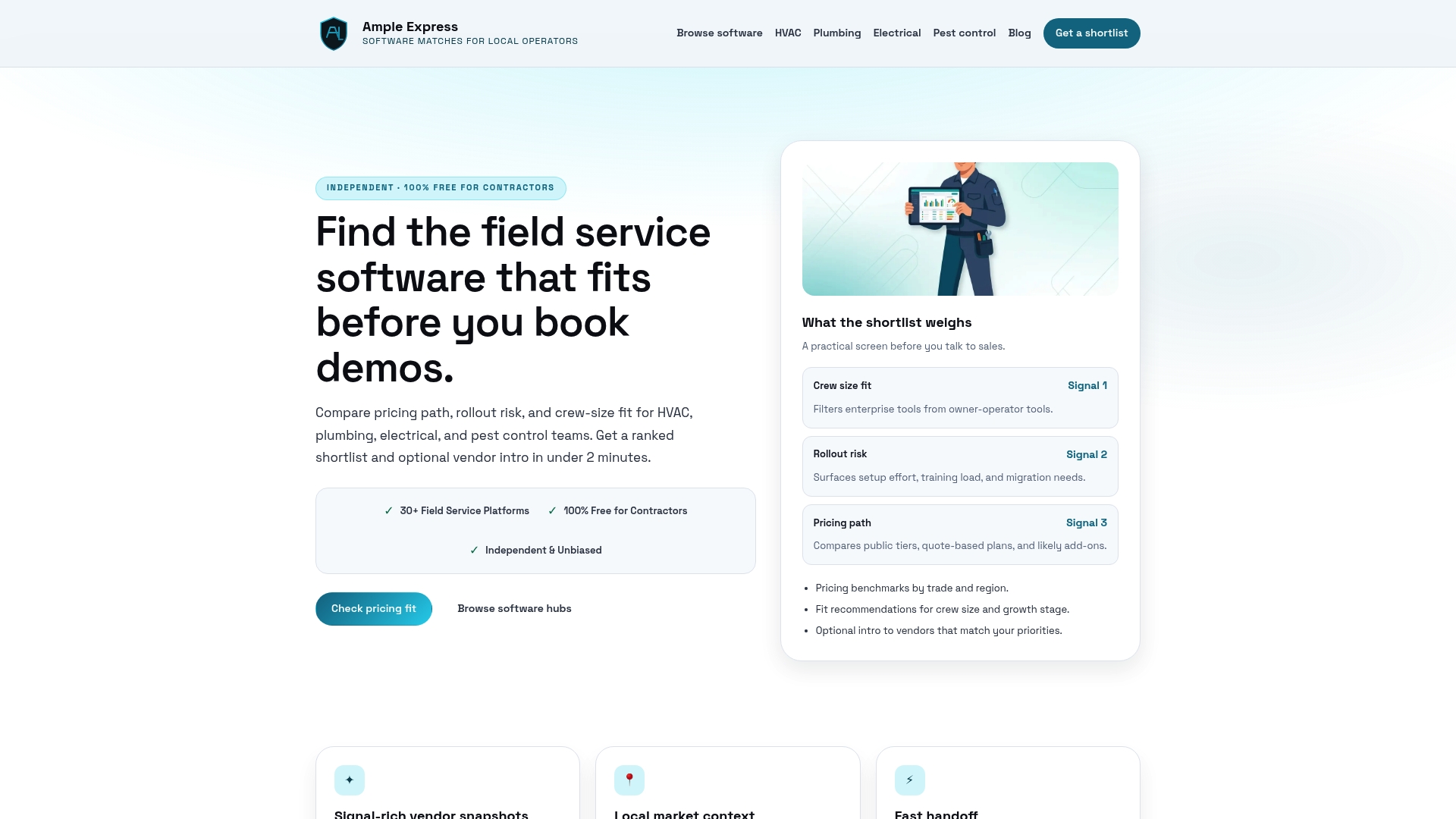
Ampleexpress evaluates over 30 field service software options and surfaces rollout risk ratings alongside pricing, crew size fit, and regional benchmarks. The platform is built for HVAC, plumbing, electrical, and pest control teams that need an independent shortlist, not a sales pitch. You share your crew size and priorities, and Ampleexpress returns a ranked list that includes each vendor's rollout risk profile, so you know what you are getting into before you sign a contract.
FAQ
What is rollout risk software?
Rollout risk software is a platform that identifies, scores, and mitigates the risks involved in deploying new or updated software. It combines risk scoring, progressive rollouts, automated rollback, and governance controls to prevent deployment failures from spreading.
How does progressive rollout reduce software rollout risks?
Progressive rollout limits blast radius by exposing new software to a small percentage of users first, typically 1–5%, then expanding only when monitoring confirms the release is stable.
What triggers an automated rollback in rollout risk software?
Automated rollback fires when defined thresholds are breached, such as a 5xx error rate exceeding baseline by 3x for 10 minutes or p95 latency doubling for 15 minutes.
What are zombie flags in rollout risk management?
Zombie flags are feature flags that remain active long after their intended use. They create technical debt and unpredictable system behavior. A 90-day expiration cycle is the recommended standard for reviewing and removing stale flags.
How does Ampleexpress help with rollout risk assessment?
Ampleexpress provides an independent ranked shortlist of field service software that includes rollout risk ratings, pricing paths, and crew size fit recommendations, so project managers can evaluate deployment risk before selecting a vendor.