
Why Plumbing Software Training Costs Add Up
Discover why plumbing software training costs add up, from hidden fees to lost productivity. Understand the complete financial impact today!
June 19, 2026
Article

Plumbing software training costs are defined by a combination of upfront onboarding fees, technician downtime, and the extended time required to fully adopt complex field service tools. These costs are rarely listed on a vendor's pricing page, which is why so many plumbing business owners get surprised after signing a contract. Understanding why plumbing software training costs add up means looking beyond the monthly subscription and accounting for implementation fees, lost billable hours, and the cultural shift required to move a crew from paper or spreadsheets to a digital platform. The total impact on your first-year budget is often far larger than expected.
What are the typical fee components in plumbing software training costs?
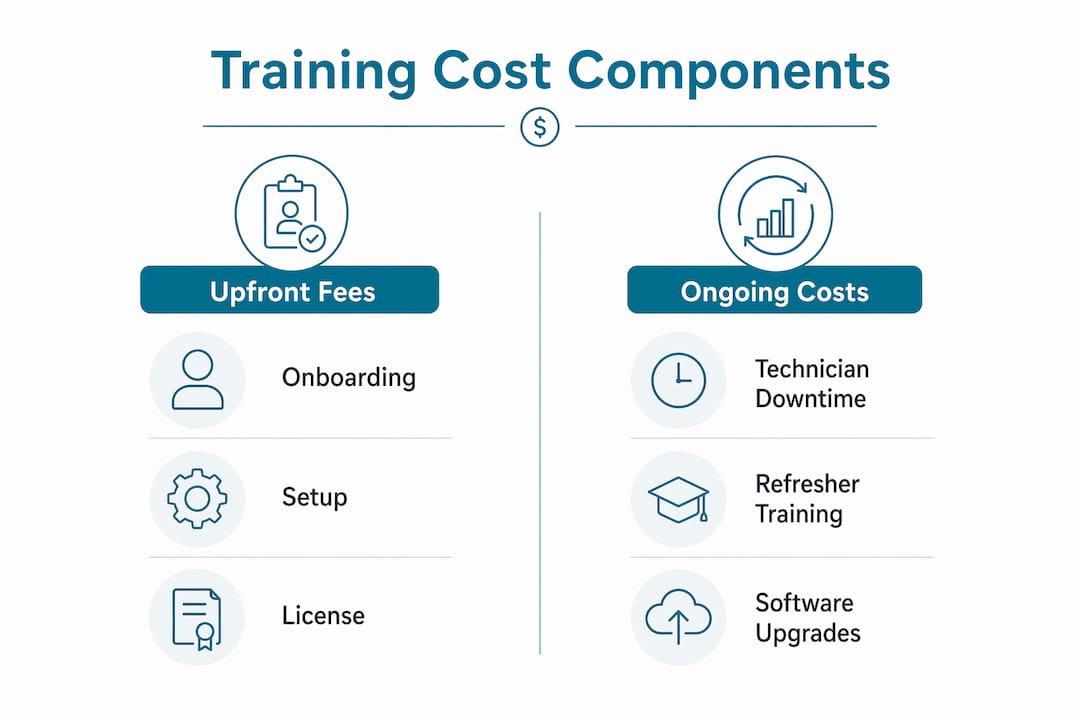
The cost breakdown of plumbing training starts with fees that vendors rarely advertise upfront. Onboarding fees range from $500 to $5,000 for small teams and can reach $50,000 for enterprise-grade deployments. These fees are almost always non-refundable and are charged separately from your monthly subscription.
Here is what you are typically paying for beyond the base license:
- Implementation fees: One-time charges to configure the software for your dispatch workflow, job history structure, and parts catalog.
- Mandatory training packages: Some platforms, including ServiceTitan, bundle "success hours" or onboarding packages into their contracts. You pay for them whether you use them or not.
- Third-party integrations: Connecting your accounting software, such as QuickBooks, or your SMS dispatch notifications adds per-integration fees that accumulate quickly.
- Data migration: Moving job history, customer records, and parts pricing from your old system into the new one often requires paid professional services.
The table below compares how fee structures differ across three widely used platforms:
| Platform | Onboarding fee range | Training included? | Add-on fees common? |
|---|---|---|---|
| ServiceTitan | $5,000–$50,000+ | Partial (success hours) | Yes (SMS, integrations) |
| Jobber | $500–$1,500 | Yes (basic) | Limited |
| Housecall Pro | $500–$2,000 | Yes (basic) | Yes (SMS, reviews) |
ServiceTitan targets larger plumbing operations and carries the highest onboarding cost. Jobber and Housecall Pro are built for smaller crews and keep initial fees lower, but both add charges for SMS communications and third-party connections. You can review a detailed breakdown of hidden fees by platform before committing to any contract.
Pro Tip: Ask every vendor for a written list of all one-time fees before signing. Request a sample invoice from a customer with a similar crew size to yours.
How does training time drive up total plumbing software training expenses?
Time is the most expensive resource your business has, and training consumes a lot of it. Complex estimating tools like FastPIPE or QuoteSoft require 3–5 weeks of focused training before staff can use them effectively. Skipping that training does not save money. It means your team reverts to manual processes and you never capture the margin gains the software was supposed to deliver.
Here is how training time translates into real dollar costs for a typical plumbing operation:
- Technician downtime. Lost revenue from technician downtime during training is the most overlooked cost in any software rollout. A technician billing $85 per hour who spends 20 hours in training represents $1,700 in lost revenue per person.
- Office staff retraining. Dispatchers, billing staff, and managers all need separate training tracks. A three-person office team each spending 15 hours in training adds another 45 hours of reduced productivity.
- Parallel run phases. The parallel-run phase can double administrative workload for 2–4 weeks. During this period, staff enter data into both the old system and the new one to verify accuracy. This phase increases the risk of staff burnout and can cause the entire project to stall.
- Skill level variation. A crew where half the technicians are not comfortable with smartphones will require more hands-on coaching. That extends your training timeline and increases the hours your office manager or trainer spends on support.
Pro Tip: Assign one internal "software champion" per department before launch. This person handles peer questions daily and reduces the number of hours your vendor's support team needs to spend on basic issues.
Why do some plumbing businesses pay more than others for software?

The factors affecting training costs vary significantly based on business size, software complexity, and purchasing decisions. Approximately 43% of contractors identify training as their greatest IT challenge, and many of those same businesses also over-purchase software features they never use.
Several specific patterns explain why software costs vary across plumbing teams:
- Enterprise software for small crews. A five-technician plumbing company running ServiceTitan is paying for capacity and features built for 50-person operations. The onboarding cost alone may exceed what a simpler tool would cost for two full years.
- License sprawl. Buying seats for every employee, including part-time staff who rarely log in, inflates your monthly cost without adding value. Unused licenses are pure waste.
- Shelfware. Choosing software based on feature quantity rather than user adoption leads to higher overall costs and lost productivity. The most feature-rich software ignored by staff delivers worse ROI than a simpler tool used consistently.
- Customization costs. Requesting custom fields, branded customer portals, or non-standard dispatch workflows triggers professional services fees that can add thousands to your total investment.
- Cultural resistance. When technicians resist adopting a new system, managers spend hours troubleshooting and re-training. That indirect cost rarely appears in any budget forecast, but it is real.
Understanding why plumbing teams overpay for software usually comes down to one root cause: buying based on a demo rather than a realistic assessment of what your crew will actually use.
What budgeting strategies reduce plumbing software investment costs?
A clear budget framework prevents the most common cost overruns. Experts recommend budgeting 15–20% of your total first-year software cost specifically for training, data migration, and internal setup. Without that buffer, most businesses face shelfware within six months.
Follow these four steps to build a realistic training budget:
- Calculate your true first-year cost. Add the annual subscription, onboarding fee, integration fees, and SMS costs. Then multiply that total by 0.20 to get your training and setup reserve.
- Run a software pilot first. Test any platform with two or three technicians for 30 days before a full rollout. This surfaces adoption problems before they affect your entire crew and limits your financial exposure.
- Match software complexity to crew size. Smaller teams with fewer than ten technicians rarely need enterprise-grade tools. Jobber or Housecall Pro will cover dispatch, invoicing, and job history at a fraction of the onboarding cost.
- Roll out features gradually. A gradual rollout over 90 days helps dispatchers and field staff transition from manual to digital processes without overwhelming them. Start with scheduling and invoicing, then add estimating and reporting in later phases.
Pro Tip: Use the Ampleexpress cost calculator to model your total first-year spend, including training and onboarding fees, before you contact a single vendor.
Gradual rollouts also reduce the risk of a parallel-run phase dragging on too long. When staff master one module before moving to the next, adoption rates improve and the need for repeat training drops. You can also review plumbing software options by crew size to match complexity to your actual operational needs before committing.
Key Takeaways
Plumbing software training costs add up because onboarding fees, technician downtime, and poor adoption decisions each carry a direct financial impact that most vendors never disclose.
| Point | Details |
|---|---|
| Onboarding fees vary widely | Fees range from $500 for small teams to over $50,000 for enterprise deployments, separate from subscriptions. |
| Technician downtime is a real cost | Every training hour removes a billable technician from the field, creating direct revenue loss. |
| Budget 15–20% for setup | Reserve 15–20% of your first-year software cost for training, migration, and internal configuration. |
| Match software to crew size | Smaller teams overpay when they buy enterprise tools built for operations ten times their size. |
| Gradual rollout reduces waste | A 90-day phased rollout improves adoption and cuts the need for expensive repeat training sessions. |
Blake's take on what the industry gets wrong about training costs
Most plumbing business owners I speak with treat training as a line item they can trim. They see it as optional overhead rather than a direct driver of whether the software pays off at all. That framing is the mistake.
The real cost of poor training is not the training fee itself. It is the six months of technicians ignoring the dispatch module, the office manager re-entering invoices manually because nobody learned the billing workflow, and the eventual decision to abandon the platform entirely after spending $15,000 to implement it. I have seen that cycle repeat more times than I can count.
What I have found actually works is treating the adoption plan as seriously as the vendor selection. Before you sign anything, ask the vendor for their average time-to-adoption data by crew size. Ask for references from plumbing companies with a similar number of technicians. If a vendor cannot give you that information, that tells you something important about how they support customers after the sale.
The other thing I would push back on is the instinct to buy the most feature-rich platform available. Cultural and technical change management matters more than software capabilities when it comes to controlling training costs. A simpler tool your crew actually uses will outperform a powerful platform that collects dust. Evaluate ROI beyond the sticker price, and factor in what your technicians will realistically adopt within 90 days.
— Blake
How Ampleexpress helps you avoid overpaying for software training
Ampleexpress is built specifically for field service contractors who want to make software decisions without getting burned by hidden fees or mismatched platforms.

The platform gives you a ranked shortlist of over 30 field service software options for plumbing teams, with transparent pricing paths, rollout risk scores, and crew-size fit recommendations. You can model your total first-year cost, including onboarding and training fees, before you talk to a single vendor. Ampleexpress also provides regional pricing benchmarks so you know whether the quote you received is in line with what other plumbing businesses in your market are paying. Share your crew size and top priorities, and Ampleexpress will return a shortlist matched to your actual operational needs.
FAQ
What is the average onboarding cost for plumbing software?
Onboarding fees for plumbing software range from $500 for small teams to over $50,000 for enterprise-grade solutions. These fees are charged separately from subscriptions and are almost never refundable.
How much should I budget for plumbing software training?
Budget 15–20% of your total first-year software investment for training, data migration, and internal setup. Skipping this reserve is the primary reason businesses end up with underutilized software.
Why do plumbing software upgrades cost more than expected?
Upgrades often trigger new onboarding fees, additional integration costs, and a repeat of the training cycle for staff. Enterprise platforms like ServiceTitan also charge for feature tier changes, which adds to the total cost.
How long does plumbing software training typically take?
Complex estimating tools require 3–5 weeks of focused training to be effective. Simpler platforms like Jobber or Housecall Pro can be operational within one to two weeks for small crews.
What is the biggest hidden cost in plumbing software adoption?
Technician downtime during training is the most overlooked cost. Every hour a billable technician spends in training is an hour of service revenue your business does not collect.
Recommended
- Get a Plumbing software shortlist
- Plumbing Software Hidden Fees: How to Avoid Them | Ample Express
- Plumbing Software ROI Calculation Guide for Contractors
- Per-User Plumbing Software Pricing: 9 Key Benefits
- Why Software Bundling Saves Plumbing Teams Time and Money