
How to Identify Contractor Software Gaps in 2026
Learn how to identify contractor software gaps to boost efficiency and protect your margins in 2026. Don't let integration failures cost you!
July 15, 2026
Article

A software gap is a mismatch between what your current tools do and what your operations actually need. Construction contractors lose an average of $45,610 per year, with $11,000 of that tied directly to integration failures where digital tools do not sync with accounting systems. That figure alone makes the case for a formal contractor software assessment. Whether you run an HVAC crew, a plumbing operation, or an electrical team, identifying software deficiencies before they compound is the fastest path to protecting your margins and growing your business.
How to identify contractor software gaps before they cost you
The industry term for this process is a software gap analysis: a structured comparison of your current software capabilities against your documented operational requirements. The phrase "identify contractor software gaps" captures the same idea in plain language. Both terms describe the same work, and you will see both used throughout this guide.
Software gaps do not always announce themselves. A dispatcher manually re-entering job data from one system into another is a gap. A field tech who cannot pull up job history on a phone because the app is desktop-only is a gap. A job costing report that does not match your accounting ledger is a gap. Each one costs time, money, or both.

High-growth contractors achieve a 61% full integration rate across their digital tools, compared to just 28% for the broader market. That gap in integration directly correlates with the gap in revenue. Closing it starts with knowing exactly where your current stack falls short.
What you need before starting a software gap analysis
Preparation determines whether your assessment produces a useful shortlist or a confusing spreadsheet. Gather these inputs before you score a single tool.
- Operational requirements by trade and crew size. An HVAC company with 12 techs has different dispatch, scheduling, and parts needs than a solo plumber. Document your specific workflows: estimate creation, dispatch, job tracking, invoicing, and payroll.
- Your current software stack and integration points. List every tool you use today, including accounting software, scheduling apps, and any customer communication platforms. Note which ones share data automatically and which require manual entry.
- A weighted scoring framework. Assign a priority weight to each requirement before you evaluate any vendor. This prevents demo excitement from overriding real operational needs.
- Real job data for testing. Pull three to five actual jobs from your records, including at least one with a last-minute change order and one with a disputed invoice. You will use these to stress-test any software you evaluate.
Pro Tip: Before contacting any vendor, write down your three biggest daily frustrations with your current tools. These are almost always your most critical gap categories, and they should carry the highest weights in your scoring framework.
Mapping your current software stack also reveals hidden dependencies. You may discover that removing one tool breaks a connection that three other tools rely on. Knowing this upfront prevents costly rollout surprises.
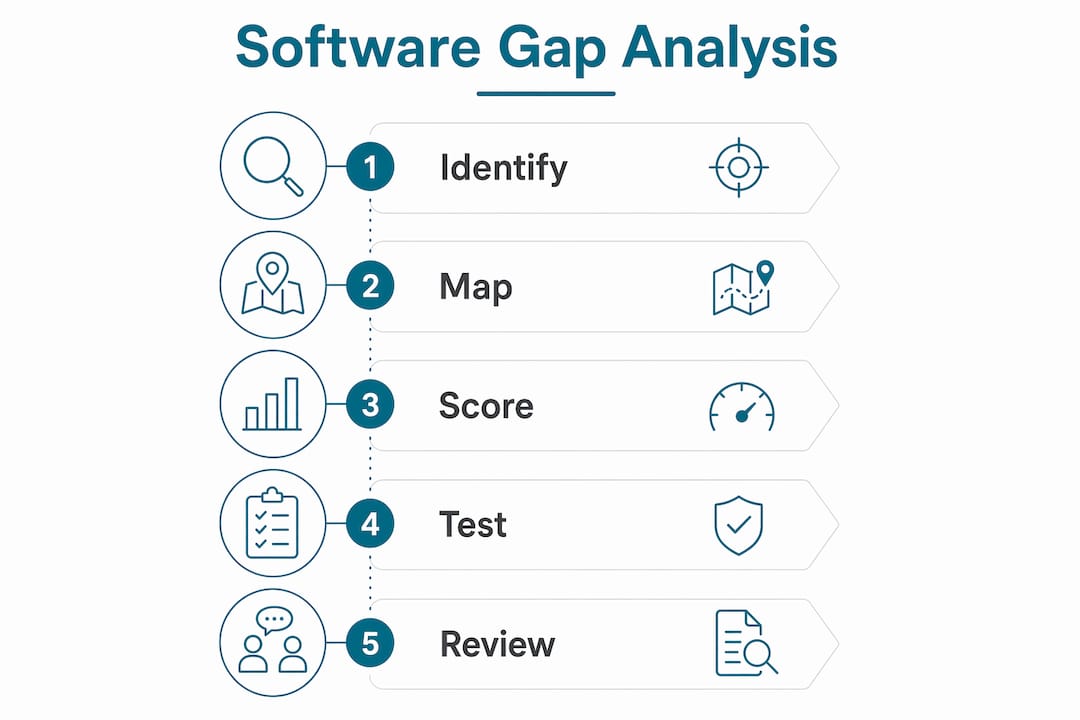
Step-by-step process to score and test for software deficiencies
A structured evaluation removes guesswork and surfaces real deficiencies. Follow these steps in order.
- Translate each operational requirement into a weighted criterion. Use a 1–5 scale where 5 means "the business cannot function without this" and 1 means "nice to have." Label any criterion scored 5 as a showstopper. A tool that fails a showstopper criterion is eliminated regardless of its score elsewhere.
- Build a scoring matrix. List your weighted criteria down the left column. Add a column for each tool or vendor you are evaluating. Score each tool on each criterion from 1–5, then multiply by the weight. Sum the columns to get a total weighted score.
- Request a structured demo, not a sales presentation. Give vendors your actual job scenarios before the call. Ask them to demonstrate the software handling your specific workflows, not a generic walkthrough. Weighted scoring identifies the best-fit tool 20% faster and achieves 85% alignment with business priorities compared to unweighted checklists.
- Force the vendor to show "unhappy paths." Most demos only show ideal conditions. Vendor demos routinely miss critical failure points by showing only best-case scenarios. Ask the vendor to demonstrate what happens when a field tech loses cell service mid-job, or when a customer requests a change order after work has started.
- Test integration with your accounting platform. Create a test job, complete it in the software, and verify that the invoice and job cost data flow correctly into your accounting system without manual re-entry. Manual data re-entry creates a hidden "re-entry tax" that inflates labor hours and introduces errors across your books.
- Score and rank your finalists. After live testing, update your scoring matrix with real observations. The tool with the highest weighted score that passes all showstopper criteria is your best operational fit.
| Evaluation Criterion | Weight (1–5) | Vendor A Score | Vendor B Score |
|---|---|---|---|
| Mobile field access | 5 | 4 | 2 |
| Accounting integration | 5 | 5 | 3 |
| Dispatch and scheduling | 4 | 3 | 4 |
| Trade-specific features | 4 | 4 | 3 |
| Ease of use for field staff | 3 | 4 | 3 |
Pro Tip: Run your scoring matrix with your field staff and your bookkeeper in the same room. They will catch gaps that you miss from the owner's seat.
What are the most common software gaps contractors face?
Knowing the typical gap categories helps you ask better questions during your assessment. These are the deficiencies that show up most often across HVAC, plumbing, electrical, and pest control operations.
- Integration gaps. Disconnected tools force manual data re-entry between job management, accounting, and payroll systems. This is the most expensive gap category. Integration failures account for $11,000 in annual waste for the average contractor.
- Solo operator coverage gaps. 91% of construction software targets mid-size or enterprise firms. Only 9% is designed for solo operators or very small crews. If you run a one-to-three person operation, most tools will charge you for features you will never use.
- Mobile access gaps. 55% of construction software lacks a dedicated mobile app. Field staff who cannot access job history, capture signatures, or submit time cards from the job site create a paper trail that slows down invoicing and payroll.
- Trade-specific feature gaps. Generic field service tools often lack features like flat-rate pricing books for plumbers, load calculation tools for HVAC techs, or permit tracking for electricians. Missing these forces techs to use workarounds that cost time on every job.
- Usability gaps. A tool that field staff refuse to use is worse than no tool at all. Poor adoption drives hidden costs through incomplete job records, missed invoices, and duplicate data entry. Check software customization fit before committing to any platform.
How to avoid the most common software assessment mistakes
A flawed assessment produces a flawed selection. These are the mistakes that derail contractor software evaluations most often.
- Overloading your criteria list with nice-to-haves. 40% of initial evaluation spreadsheets include excessive nice-to-have features that inflate total costs. Every non-essential criterion you add dilutes the weight of the features that actually matter. Keep your showstopper list short and honest.
- Trusting demos without testing your own data. Vendor demos are built to impress. Forcing vendors to demonstrate software handling poor connectivity, complex payroll, or disputed invoices reveals the gaps that polished demos hide.
- Ignoring scalability. A tool that fits your three-person crew today may break at ten people. Verify that pricing tiers, user limits, and feature access scale with your growth before signing a contract.
- Choosing a single platform that does not natively support accounting. One integrated platform sounds efficient, but a platform that forces accounting workarounds creates worse integration gaps than two best-of-breed tools that connect natively. Native integration beats forced consolidation every time.
- Excluding key stakeholders from the evaluation. Your estimators, field techs, and bookkeeper each interact with software differently. A tool that works for the owner but frustrates the field crew will fail in practice. Include all three groups in your software selection process.
"Software gaps are not always visible from the owner's desk. The most damaging deficiencies live in the daily friction your field staff and bookkeeper absorb without reporting it. A structured assessment forces those hidden costs into the open where you can actually fix them."
Key Takeaways
A structured software gap analysis is the most reliable method for contractors to identify software deficiencies, cut integration waste, and select tools that fit their trade, crew size, and growth stage.
| Point | Details |
|---|---|
| Define gaps before evaluating tools | Document your operational requirements by trade and crew size before contacting any vendor. |
| Use weighted scoring | Assign priority weights to criteria so showstoppers eliminate poor-fit tools automatically. |
| Test unhappy paths | Run real job scenarios including change orders and connectivity failures to expose hidden deficiencies. |
| Prioritize native integration | Tools that sync natively with your accounting system eliminate the re-entry tax that costs contractors $11,000 annually. |
| Include all stakeholders | Field staff and bookkeepers catch gaps that owners miss during evaluation. |
Why generic software evaluations fail contractors
Contractors often assume that software features are universal and that a highly rated tool will fit any operation. That assumption is wrong, and it is expensive. Software gaps are highly specific to workflow and trade size, which means a tool that works perfectly for a 20-person electrical firm may be completely wrong for a six-person plumbing crew.
I have seen contractors spend months on a software rollout only to discover that the platform they chose does not support flat-rate pricing or cannot export job costs in a format their accountant can use. Those failures are not bad luck. They are the direct result of skipping a structured assessment and trusting a demo instead.
The weighted scoring method changes that outcome. When you assign real priority weights before you see any vendor presentation, you protect yourself from being sold features you do not need. The scoring matrix becomes a filter, not just a comparison tool.
The other lesson I keep coming back to is this: the best software stack for most contractors is not one platform. It is two or three best-of-breed tools that integrate natively. A job management app that connects directly to QuickBooks or Xero will outperform a bloated all-in-one platform that handles accounting poorly. Fit and integration beat feature count every time.
— Blake
Ampleexpress helps contractors close the right gaps
Ampleexpress is built specifically for field service contractors who need a faster, lower-risk path to the right software. The platform ranks over 30 field service software options by trade, crew size, and integration fit, so you are not starting your assessment from scratch.
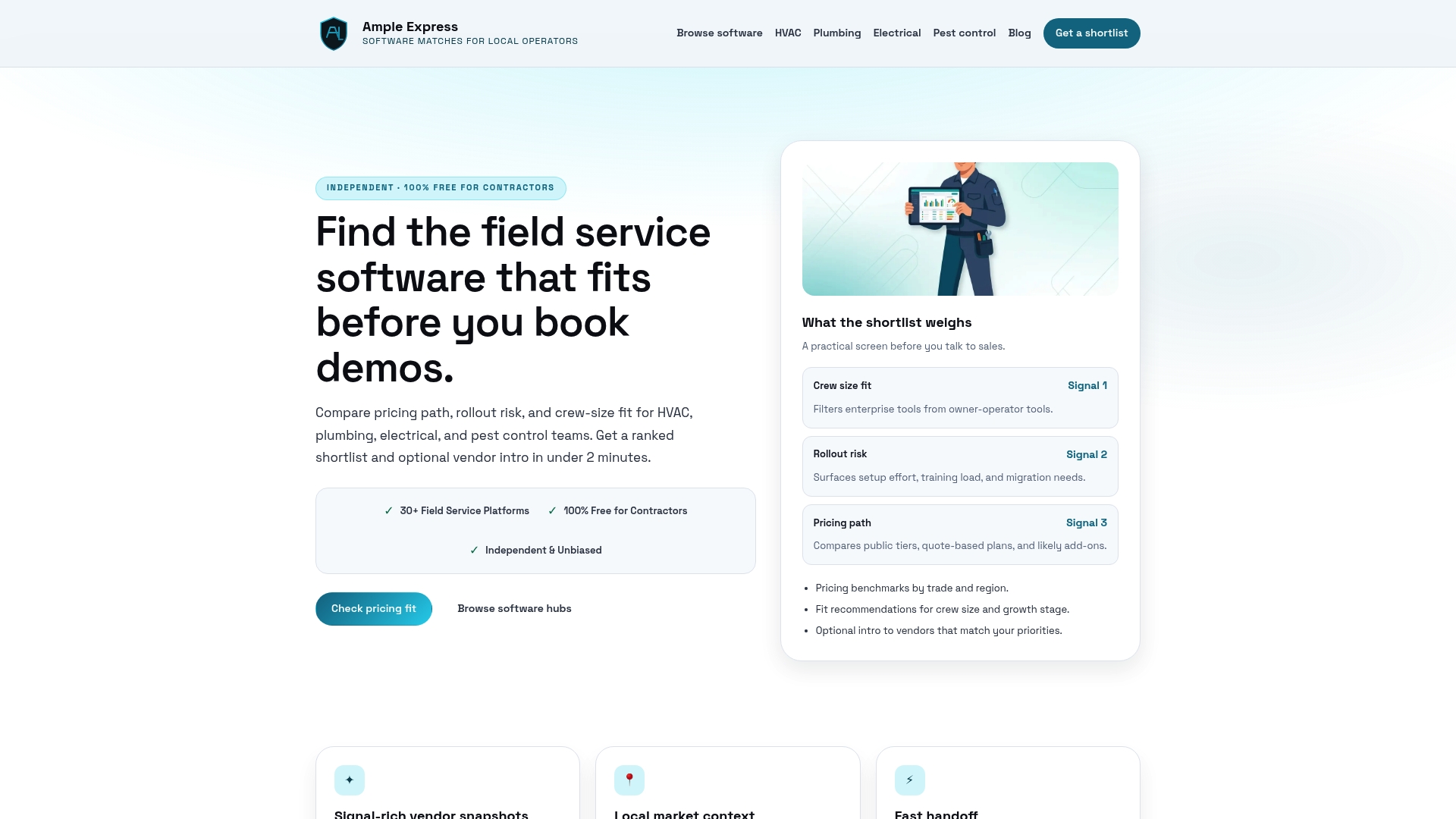
Ampleexpress surfaces regional pricing benchmarks, rollout risk ratings, and fit recommendations tailored to HVAC, plumbing, electrical, and pest control operations. You can also use the software cost calculator to estimate what a well-integrated stack should cost for your crew size before you talk to a single vendor. That context turns your gap analysis into a confident, cost-aware decision.
FAQ
What is a software gap analysis for contractors?
A software gap analysis is a structured comparison of your current tools against your documented operational needs. It identifies where your software fails to support critical workflows like dispatch, invoicing, or accounting integration.
How do I identify software deficiencies in my current stack?
Map every tool you use, note which ones require manual data re-entry between systems, and test each tool against real job scenarios. Any step that requires manual workarounds is a deficiency worth scoring.
Why do integration gaps cost contractors so much money?
Disconnected tools force manual re-entry of data across systems, which increases labor hours and introduces errors. Contractors lose an average of $11,000 annually from integration failures alone.
What is a showstopper criterion in software evaluation?
A showstopper is any requirement scored as business-critical, meaning the operation cannot function without it. Any tool that fails a showstopper criterion is eliminated from consideration regardless of its overall score.
How many tools should a contractor evaluate during a gap analysis?
Evaluate three to five tools against your weighted scoring matrix. More than five creates comparison fatigue and rarely changes the outcome. Focus depth of testing over breadth of options.