
Payroll Integration Plumbing Software: 2026 Guide
Discover what is payroll integration plumbing software and how it automates payroll, reduces errors, and saves costs for your business.
July 14, 2026
Article

Payroll integration plumbing software is the automated system that connects your payroll engine to time tracking, accounting, and HR tools, so employee pay data moves between systems without manual re-entry. The industry term for this category is "integrated payroll," and it covers everything from syncing hourly wages and overtime premiums to tax withholdings and benefits deductions across a single source of truth. For plumbing contractors specifically, integrated payroll must also handle mixed wage rates, prevailing wage rules, and certified payroll reporting. Manual payroll processes carry a 20% error rate, costing roughly $291 per mistake to fix. That cost adds up fast when your crew works across residential, commercial, and public works jobs in a single pay period.
How does payroll integration software work for plumbing businesses?
Integrated payroll works by creating automated data flows between four core systems: time tracking, payroll, accounting, and HR. When a plumber clocks out of a job, the time tracking system sends hours, job codes, and wage classifications directly to the payroll engine. The payroll engine then calculates gross pay, deductions, and tax withholdings, and pushes the totals to your accounting platform for job costing. No one rekeys a number.

For plumbing firms, the data flow gets more complex than in most trades. A single technician may work a residential service call in the morning at one wage rate, then shift to a public works project in the afternoon at a prevailing wage rate. Mixed wage labor like this requires the software to apply the correct rate per job code automatically, not per employee per day. Generic payroll tools rarely handle this without manual overrides.
Here is how a typical integrated payroll cycle works for a plumbing contractor:
- Technicians clock in and out using a mobile field app tied to specific job codes.
- The time tracking system flags any overtime, shift differentials, or prevailing wage triggers automatically.
- Payroll pulls the approved hours and applies the correct wage classification per job type.
- Tax withholdings and benefit deductions calculate in real time based on current IRS tables and employee elections.
- Accounting receives the finalized labor costs allocated to each job or project for accurate job costing.
- Certified payroll reports generate automatically for any public works jobs requiring Davis-Bacon Act compliance.
Pro Tip: Map every wage classification in your time tracking system before you connect it to payroll. A mismatch between "residential tech" in one system and "field laborer" in another will break the automation and force manual fixes every pay cycle.
What are the key benefits of payroll integration for plumbing companies?
The most direct benefit is time. Payroll processing time drops by up to 70% when integration replaces manual data transfer. For a plumbing business running weekly payroll for 15 or more field technicians, that is a meaningful reduction in administrative hours every single week.
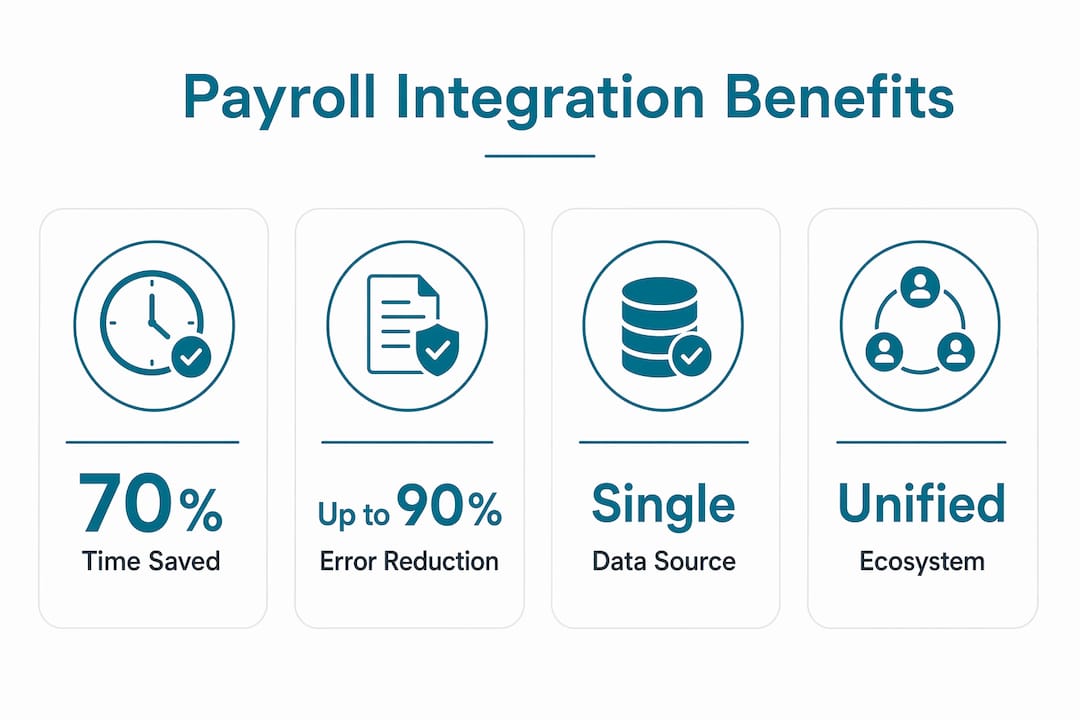
Error reduction follows closely. The $291 average cost per payroll error is not just the correction itself. It includes employee trust damage, potential tax penalties, and the staff time spent tracking down the source. Integrated systems eliminate transcription errors because data moves automatically, not through copy and paste.
The compliance benefits matter most for plumbing contractors working public sector or government contracts:
- Prevailing wage compliance: Software applies the correct wage rate per job type automatically, reducing audit exposure.
- Certified payroll reporting: Generates Davis-Bacon Act compliant reports without manual assembly.
- Tax filing accuracy: Automated withholding calculations reduce the risk of underpayment penalties.
- Job costing accuracy: Labor costs tie directly to project codes, giving you real numbers for each job's profitability.
- Benefits deduction tracking: Employee elections sync across payroll and HR, so deductions stay current without manual updates.
Integrating payroll with accounting, HR, and time tracking creates a unified workforce ecosystem. That shift moves payroll from a reactive administrative task to a real-time financial planning tool. You can see labor cost by job, by crew, and by week, without waiting for month-end reports.
Pro Tip: Before you evaluate any software, calculate your current payroll processing hours per cycle and multiply by your office manager's hourly rate. That number is your baseline cost. Compare it against integration software pricing to see your actual return.
What essential plumbing-specific payroll features should you look for?
Not every payroll integration tool is built for the complexity of plumbing contractor operations. Certified payroll and prevailing wage compliance are non-negotiable features if your firm takes any public works contracts. Verify these capabilities before you commit to any platform.
The table below compares the feature categories you need to evaluate, organized by function and what to verify during a demo:
| Feature category | What to verify |
|---|---|
| Certified payroll reporting | Generates WH-347 or state-equivalent forms automatically |
| Prevailing wage support | Applies correct wage rates per job type and jurisdiction |
| Multiple wage classifications | Handles residential, commercial, and public works rates simultaneously |
| Project-based pay tracking | Links hours to specific job codes for accurate labor cost allocation |
| Automated tax filing | Calculates and submits federal and state withholdings without manual input |
| Benefits deduction sync | Pulls current employee elections from HR and applies them each pay cycle |
| Accounting integration | Pushes finalized payroll costs to your general ledger by job code |
Project-based pay tracking is the feature most plumbing owners underestimate during software selection. Without it, you cannot accurately calculate the true labor cost of any individual job. That gap makes job costing estimates unreliable and erodes your profit margins over time.
Entry-level field apps often cover basic time tracking and simple payroll exports. Enterprise platforms add certified payroll, multi-rate wage support, and direct accounting integrations. Your crew size and contract mix determine which tier you actually need. Reviewing plumbing software overspending mistakes before you buy can save you from paying for features you will never use.
Pro Tip: Ask every vendor for a live demo of certified payroll report generation. If they cannot show you a completed WH-347 form in under five minutes, the feature is not production-ready.
How to implement payroll integration in your plumbing business
Implementation fails most often at the data mapping stage, not the software selection stage. Inconsistent data mapping between payroll and time tracking classifications is the leading cause of integration failure or ongoing manual intervention. Fixing it after go-live costs far more time than getting it right before launch.
Follow these steps to implement payroll integration without disrupting your current pay cycles:
- Audit your existing classifications. List every wage type, job code, and employee category currently in your time tracking and payroll systems. Identify any naming mismatches before you connect the two.
- Standardize your job codes. Assign a consistent code structure across time tracking, payroll, and accounting. Every residential call, commercial job, and public works project needs a unique, matching code in all three systems.
- Run a parallel payroll cycle. Process one full pay period manually and through the integrated system simultaneously. Compare the outputs line by line before you cut over completely.
- Validate certified payroll outputs. If you work public contracts, generate a test WH-347 report and verify every field against your source data before the first live submission.
- Train your field crew on job code entry. The integration is only as accurate as the data your technicians enter at clock-in. A 15-minute training session on the mobile app prevents weeks of correction work.
- Set up exception alerts. Configure the system to flag any time entry missing a job code, any wage rate that does not match the job type, and any payroll total that deviates significantly from the prior period.
Choosing software built for plumbing contractors rather than generic small business payroll tools reduces the configuration burden significantly. Plumbing-focused platforms ship with prevailing wage tables, certified payroll templates, and field app integrations already configured. You spend less time building the system and more time running your business.
Key Takeaways
Payroll integration plumbing software eliminates manual data entry, reduces error rates, and gives plumbing contractors real-time labor cost visibility across every job type and wage classification.
| Point | Details |
|---|---|
| Core function | Integrated payroll syncs hours, wage rates, and deductions automatically across all connected systems. |
| Error cost reduction | Manual payroll carries a 20% error rate at $291 per fix; integration removes the manual step entirely. |
| Plumbing-specific need | Mixed wage rates and certified payroll reporting require software built for contractor complexity, not generic tools. |
| Implementation priority | Data mapping consistency between time tracking and payroll classifications determines integration success or failure. |
| Time savings | Payroll processing time drops by up to 70% when integration replaces manual transfer workflows. |
What I have learned from watching plumbing firms adopt payroll integration
The contractors who get the most out of payroll integration are not the ones with the biggest crews. They are the ones who treat the implementation as a data quality project first and a software project second.
Every firm I have seen struggle with integration had the same root problem: their time tracking system used different labels than their payroll system. "Journeyman plumber" in one tool, "skilled trade" in another. That one mismatch forced a manual correction every single pay cycle, which defeated the purpose of integrating in the first place.
The compliance angle is where I see the most financial risk go unaddressed. Plumbing contractors working public works contracts face real audit exposure when prevailing wage rates are applied inconsistently. Generic payroll software does not know the difference between a Davis-Bacon job and a residential service call. Specialized tools do. That distinction is worth more than any feature comparison chart.
My honest advice: do not select payroll integration software based on price alone. The cheapest option that cannot handle certified payroll will cost you more in manual corrections and compliance risk than a purpose-built platform costs in annual fees. Verify tax compliance capabilities before you sign anything. And calculate your software ROI against your current manual processing cost before you assume the investment is too expensive.
— Blake
Ampleexpress helps plumbing contractors find the right payroll integration fit
Ampleexpress evaluates over 30 field service software options and ranks them by crew size, contract mix, and operational needs. For plumbing contractors focused on payroll integration, the platform highlights which tools include certified payroll reporting, prevailing wage support, and accounting integrations out of the box.
You can browse the full ranked list of plumbing field service software options on Ampleexpress, filtered by the features that matter most to your business. The platform also includes a software cost calculator that lets you compare pricing against your current payroll processing costs. Share your crew size and job mix, and Ampleexpress returns a shortlist built for your specific operation, not a generic recommendation.
FAQ
What is payroll integration plumbing software?
Payroll integration plumbing software is a system that automatically syncs employee hours, wage rates, tax withholdings, and benefits deductions between time tracking, payroll, accounting, and HR platforms. It eliminates manual data entry and supports plumbing-specific requirements like certified payroll and prevailing wage compliance.
Why do plumbing contractors need specialized payroll integration?
Plumbing contractors often pay technicians at multiple wage rates within a single pay period, including residential, commercial, and prevailing wage rates. Generic payroll tools do not automate this complexity, which creates compliance risk and manual correction work.
How long does payroll integration take to implement?
Implementation timelines vary by crew size and system complexity, but most plumbing firms complete the core setup in two to four weeks. The critical phase is data mapping, where wage classifications must match exactly across all connected systems before go-live.
What is certified payroll, and why does it matter for plumbing firms?
Certified payroll is a weekly report required for federally funded construction projects under the Davis-Bacon Act, documenting wages paid to each worker by job classification. Plumbing contractors without software that generates this report automatically face significant manual reporting burden and audit risk.
How much can payroll integration reduce processing time?
Payroll processing time drops by up to 70% when integration replaces manual data transfer, according to HCM research. For a plumbing firm running weekly payroll, that reduction translates directly into recovered administrative hours each pay cycle.