
Why Contractors Switch Field Software: Real Reasons
Discover why contractors switch field software and how poor fit causes operational breakdown. Learn key reasons to avoid costly mistakes.
June 12, 2026
Article

Contractors switch field software because their current tools fail to match how field crews actually work, creating friction that costs time, money, and jobs. Field service management (FSM) software is the recognized industry term for these platforms, and poor FSM fit is the leading cause of operational breakdown in trades like HVAC, plumbing, electrical, and pest control. Platforms like ServiceTitan, Fieldwire, and JobTread each serve different crew sizes and workflows, yet up to 60% of implementations fail within the first year. That failure rate means most contractors who switch are not chasing features. They are escaping systems that never worked for their crews in the first place.
Why contractors switch field software: the primary reasons
The most common trigger for switching is not a competitor's demo. It is the daily friction of a tool that does not fit real field workflows. Switching pressure typically builds from hidden operational friction like price increases and poor workflow fit, rather than a desire for new features.
The core reasons contractors abandon or change software fall into four categories:
- Operational mismatch and low field adoption. When software is designed around office workflows, field technicians resist using it. Adoption failure is often caused by structured data entry benefits accruing to office staff, not the field workers entering data. That asymmetry kills motivation fast.
- Rising subscription costs and unpredictable pricing. Subscription price hikes and opaque billing structures push contractors to look for platforms with transparent, controllable costs. Understanding your total ownership costs before signing matters more than the monthly sticker price.
- Mobile app limitations and no offline access. Field crews work in basements, crawl spaces, and rural areas with no signal. A platform that requires a live internet connection to log a job note is useless in those conditions.
- Integration sprawl and manual re-entry. Contractors often use 5 to 10 different software tools, creating duplicate data entry and conflicting information across systems. That duplication undermines efficiency and is a direct reason teams seek unified solutions.
Pro Tip: Before evaluating new platforms, list every tool your team uses daily. If more than three of them require manual data transfer between each other, integration sprawl is already costing you hours each week.
Legacy systems compound these problems. Legacy construction software creates manual reporting burdens and limits visibility, driving mid-market teams to switch because slow decisions and poor integration scale costs well beyond license fees. Spreadsheet-based systems fail even faster. Spreadsheets become slow, stale, and error-prone as data volume grows, making cost visibility nearly impossible at scale.

How better field software improves collaboration and cuts costs
The operational case for upgrading FSM software is concrete and measurable. The central benefit is eliminating what field operations teams call the "job status guessing loop." Giving both dispatch and field technicians a unified, up-to-date record drastically reduces wasted effort and repeat visits caused by outdated information.
"A single reliable timeline shared between field and office is the key operational benefit that improves productivity and cuts costs." — Exeleon Magazine
When dispatch and field crews work from the same data, scheduling accuracy improves immediately. Better dispatch and scheduling software reduces travel time by 10 to 25% and scheduling time by 20 to 30%, increasing on-time arrivals from 67% to over 90%. That improvement translates directly to fewer missed appointments, lower fuel costs, and higher customer satisfaction scores. ROI payback on these platforms typically occurs within 12 to 18 months.
Automation also reduces administrative burden in ways that compound over time. When technicians complete a job on a mobile app, that data flows directly into invoicing, inventory, and scheduling without anyone retyping it. A plumbing crew running eight jobs per day can recover 30 to 45 minutes of admin time daily just by eliminating duplicate entry between dispatch, invoicing, and job history systems.
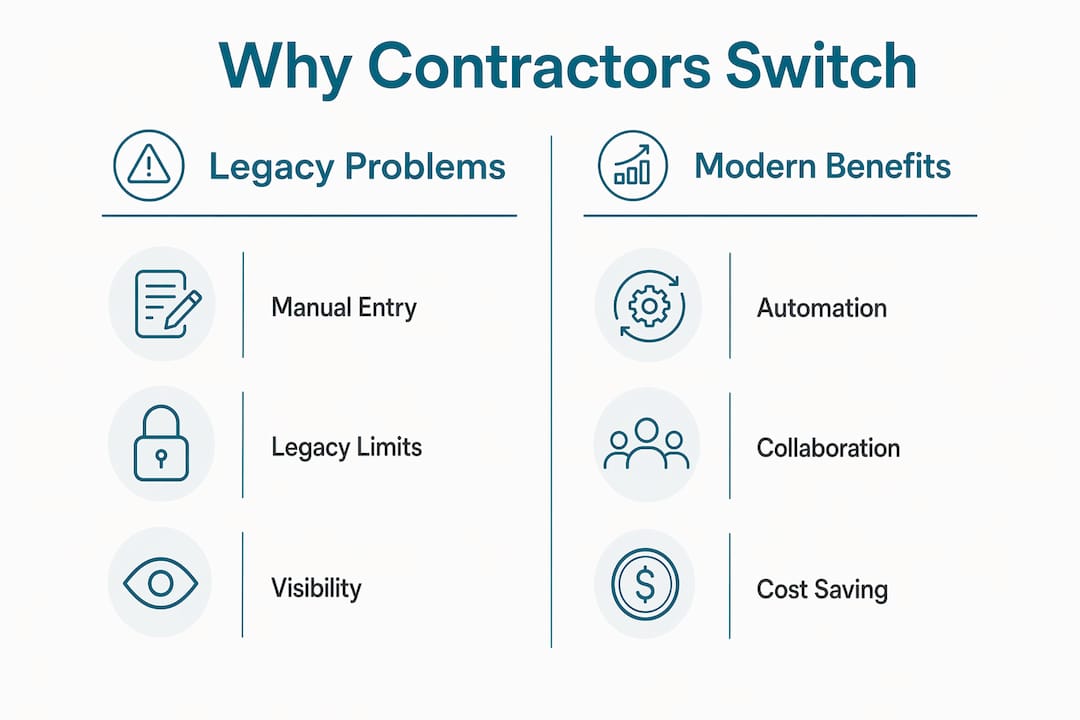
The collaboration benefit extends to subcontractors and project managers as well. True collaboration comes from a reliable shared data timeline rather than adding complexity with extra interfaces. Fewer interfaces mean fewer errors, faster approvals, and cleaner job records that support accurate future pricing.
What are the hidden costs of switching field software?
Switching FSM platforms carries real financial and operational risk that most vendors do not advertise. Understanding these risks before committing to a field software transition protects your business from costly surprises.
- Vendor lock-in through proprietary formats. Vendor lock-in arises from proprietary data formats, integration sprawl, and embedded workflows that increase switching cost and complexity. Missing contract clauses for data rights and exit support can produce six-figure migration bills.
- Loss of historical job-cost data. Many migrations orphan up to 18 months of job-cost data due to field mapping issues. Contractors often do not notice the data loss until preparing a major bid, at which point the missing cost history directly harms pricing accuracy.
- Custom field degradation. During migration, custom fields often degrade from structured data to freeform text, breaking dashboards and forcing decisions without proper analytics. This is a technical failure that has direct business consequences.
- Training and productivity dips. Expect a 20 to 40% productivity drop during the first four to eight weeks after go-live. Field crews need time to build muscle memory with new workflows, and that learning curve costs real money.
- Compliance and certification gaps. Some trades require documented job records for licensing or warranty compliance. A migration that loses or corrupts those records creates legal exposure.
Here is a quick comparison of what contractors typically face when staying with legacy software versus switching to a modern FSM platform:
| Factor | Legacy software | Modern FSM platform |
|---|---|---|
| Data entry | Manual, duplicated across tools | Automated, single entry point |
| Mobile access | Limited or no offline capability | Mobile-first with offline sync |
| Pricing transparency | Opaque, frequent price hikes | Tiered, predictable pricing |
| Integration | Siloed, requires manual exports | Native integrations with QuickBooks, Stripe |
| Migration risk | N/A | Data loss, training cost, productivity dip |
How to evaluate field software that actually fits your business
A contractor software evaluation that skips workflow auditing almost always ends in another failed implementation. Before switching, thoroughly audit your software stack and integrations to avoid perpetuating inefficient workflows in a new platform.
Use this checklist when comparing field management software choices:
- Audit your current stack first. Map every tool your team uses, identify duplication, and define the workflows you need the new platform to support. Use the contractor software selection checklist to structure this process.
- Prioritize trade-specific platforms. HVAC, plumbing, electrical, and pest control each have distinct dispatch, parts, and compliance needs. Software needs differ by trade, and a generic FSM platform often misses trade-specific workflows entirely.
- Verify mobile-first design and offline functionality. Ask vendors for a live demo of the mobile app in airplane mode. If core job functions break without a connection, the platform will fail your field crews.
- Check contract terms for data ownership. Confirm you can export all structured data in a standard format (CSV or JSON) at any time without penalty. This protects you from vendor lock-in before you sign.
- Validate onboarding and migration support. Ask specifically: does the vendor assign a dedicated migration specialist? Do they map custom fields before go-live? Will they guarantee data integrity for historical job costs?
Pro Tip: Request a software pricing negotiation call before signing any annual contract. Vendors routinely offer free onboarding, extended trials, or price locks to close deals, but only if you ask directly.
Pricing transparency is non-negotiable. Platforms that charge per technician per month with clear tier definitions are far easier to budget than those with usage-based add-ons that inflate your bill unpredictably.
What steps lead to successful software migration and adoption?
A phased migration approach reduces risk and builds team confidence faster than a hard cutover. Implementation failures are often organizational and process-related rather than purely technical, which means your rollout plan matters as much as the platform you choose.
Follow these steps to execute a field software transition that sticks:
- Migrate active jobs first. Move only current, open jobs into the new system at go-live. Archive historical data separately and import it in a second phase after the team is comfortable with the new platform.
- Train field teams before launch, not after. Schedule hands-on training sessions at least two weeks before go-live. Field adoption is driven by peer confidence, and early training creates internal champions who help colleagues during the transition.
- Limit the overlap period between old and new systems. Running two systems in parallel for more than four weeks creates confusion and data conflicts. Set a firm cutoff date and communicate it clearly to the entire team.
- Gather user feedback in the first 30 days. Create a simple feedback channel (a group text thread works fine) where field techs can flag friction points. Adjust settings and workflows based on what you hear, not what the vendor recommends by default.
- Celebrate quick wins before adding features. Once dispatch accuracy improves or invoicing time drops, share those results with the team. Visible wins build momentum and reduce resistance to the remaining rollout.
Key takeaways
Contractors who switch field software successfully do so because they identify the real source of operational friction first, then select a platform built for their specific trade and crew size.
| Point | Details |
|---|---|
| Adoption failure is the core risk | Up to 60% of FSM implementations fail within one year, usually due to poor workflow fit. |
| Hidden costs exceed sticker price | Vendor lock-in, data migration loss, and training dips add significant unbudgeted cost. |
| Dispatch improvement is measurable | Better scheduling software raises on-time arrivals from 67% to over 90% within months. |
| Trade-specific fit matters | HVAC, plumbing, electrical, and pest control each need platforms built for their workflows. |
| Phased migration reduces risk | Migrating active jobs first and training field crews early prevents the most common failures. |
What I've learned from watching contractors switch software
I have seen contractors spend months evaluating platforms, run a thorough demo process, and still end up back on spreadsheets six months after go-live. The technology was fine. The rollout was the problem.
The pattern I see most often is this: a business owner selects software based on what impresses them in a demo, not what their field techs will actually use at 7 AM on a job site. The office team loves the reporting dashboard. The field crew hates the four-step check-in process. Within 90 days, the field crew stops using the app, the data becomes unreliable, and the office loses the visibility they paid for.
The uncomfortable truth about field software adoption is that the people entering data are rarely the people benefiting from it. Office staff get cleaner reports. Field techs get more required taps on a screen. Until that asymmetry is addressed, no platform will stick regardless of how good the feature list looks.
My advice: before you evaluate a single new platform, spend one day in the field with your crew. Watch how they actually log jobs, communicate with dispatch, and handle parts. The software that fits those real behaviors will outperform any platform with a better demo every single time. Rushed switching driven by frustration with the current tool almost always produces the same result. Deliberate, phased adoption driven by a clear understanding of your workflow gaps produces lasting change.
— Blake
Find field software matched to your trade and crew size

Ampleexpress takes the guesswork out of field software evaluation by matching HVAC, plumbing, electrical, and pest control contractors with platforms ranked by crew size, pricing transparency, and rollout risk. Instead of sorting through dozens of vendor demos, you get a shortlist of over 30 field service software options ranked specifically for your trade and operational needs. Ampleexpress also surfaces regional pricing benchmarks and highlights contract terms that create lock-in risk, so you go into every vendor conversation with full context. Share your crew size and top priorities, and Ampleexpress will show you exactly which platforms fit, which to avoid, and why.
FAQ
Why do contractors switch field software so often?
Up to 60% of field software implementations fail within the first year because the platform does not fit real field workflows. Contractors switch when adoption breaks down, costs rise unpredictably, or the tool creates more admin work than it eliminates.
What are the biggest risks when switching field management software?
The two largest risks are losing historical job-cost data during migration and vendor lock-in through proprietary data formats. Migrations can orphan up to 18 months of job-cost data, which directly harms future bid accuracy.
How long does it take to see ROI after switching FSM software?
ROI payback on modern FSM platforms typically occurs within 12 to 18 months, driven by reduced travel time and improved scheduling accuracy. On-time arrival rates can improve from 67% to over 90% within the first few months of full adoption.
What should contractors look for in a contractor software comparison?
Prioritize mobile-first design with offline functionality, trade-specific workflows, transparent per-technician pricing, and contract terms that guarantee data ownership and export rights. Generic platforms built for all industries frequently miss the dispatch and parts management needs specific to HVAC, plumbing, and electrical trades.
How do you avoid adoption failure when upgrading field software?
Train field crews at least two weeks before go-live, migrate active jobs first, and set a firm cutover date to avoid running two systems in parallel. Adoption failure is rarely a training issue alone. It requires software that aligns with field workflows and gives technicians a clear reason to use it daily.
Recommended
- Pest Control field service software
- Get a Pest Control software shortlist
- Contractor Software Selection Checklist for 2026 | Ample Express
- What Is Cloud-Based Contractor Software? 2026 Guide
- Best Electrical software for electrical companies with service contracts
- Electrical Field Service Software (2026) - Dispatch, Estimates & Invoicing